
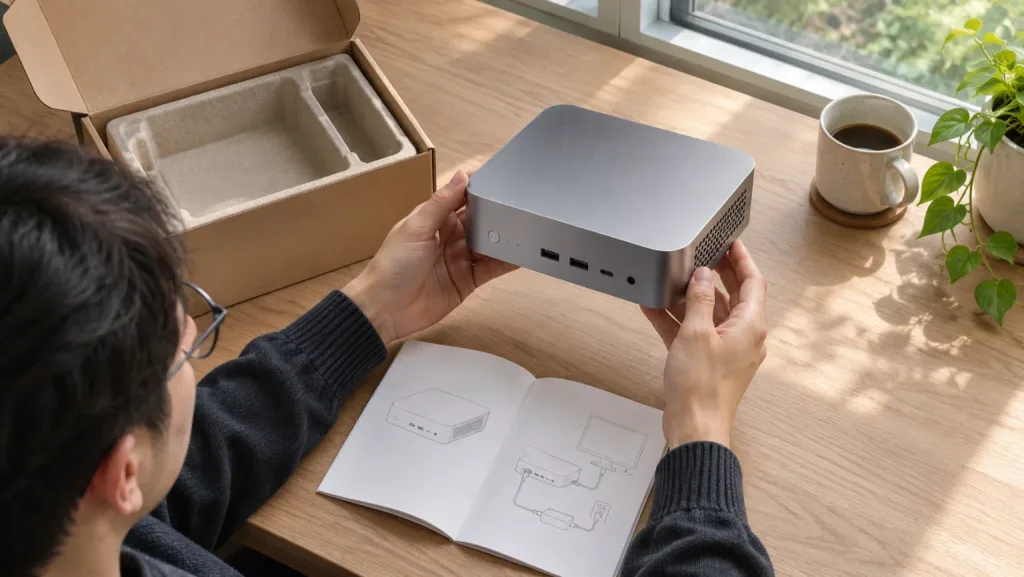
Illustration of a delivery-day inspection.
A mini PC can arrive exactly as advertised and still be the wrong purchase. If your router needs two supported Ethernet controllers, the crucial detail is the controller behind each jack. If your NAS needs two data drives and a separate boot drive, count usable connections after you allocate the boot device. Those questions tell you which missing specifications matter enough to walk away.
Before checkout, write down the one job this machine must do, the part that makes the job possible and how you’ll check it when the box arrives. Save the selected configuration and seller with your order. A family page showing several CPUs, memory sizes and case revisions is poor evidence in a dispute about which one you bought.
Give the seller a question with a checkable answer
| Your requirement | Evidence to ask for | A reason to pause |
|---|---|---|
| Upgrade from 16 GB to 32 GB later | Memory type, number of physical sockets, whether both are populated and the supported capacity for this board | The headline lists several capacities, but nobody confirms the installed memory can be removed |
| Run a firewall or hypervisor | Controller model for each Ethernet jack and support in the OS release you intend to install | The answer repeats only the link speed or describes Wi-Fi |
| Add a second storage drive | Slot length, protocol, available lanes and room for the installed drive or its heatsink | A diagram labels two M.2 sockets, but one is for a wireless module |
| Attach an external GPU | Labeled port diagram for the exact chassis, supported interface and documented connection procedure | The only evidence is a USB-C-shaped port or a photo of a different revision |
| Run headless after a power cut | Manual or firmware documentation for restoring power automatically, plus a way to recover firmware settings | The seller promises server support but cannot identify the setting or firmware branch |
| Install your own operating system | Exact CPU, storage and network devices, driver downloads and a recovery path for the original system | All support links lead to a generic family page with no way to distinguish your revision |
A short message often settles more than another page of reviews: “For the 16 GB configuration in my cart, are both memory sockets occupied, and which network controller is fitted to each port?” Keep the reply with the order. If the answer is “up to 64 GB” or “dual LAN,” ask once for the missing detail. If this is a requirement for your intended job, an unresolved answer is a reason to choose another configuration.
Follow a specification down to the board
Start with the complete processor name, including its suffix. The silicon maker can confirm the features built into that chip. For example, Intel lists Quick Sync Video for the Core Ultra 5 125H. That helps identify a candidate for hardware video conversion. It does not tell you which Ethernet controllers the PC maker installed, whether its firmware enables a particular feature, or how many simultaneous streams your files and clients will require. Intel Core Ultra 5 125H specifications
Next find the maker’s diagram for the complete model. Match the ports, their positions and the case shape to the selected configuration. Ask for the slot layout as well as the external photo. Two HDMI outputs are easy to count. A second SSD sharing lanes with another socket is much harder to discover after the return period. For a storage machine, fill in the NAS capacity worksheet and write the role of each drive next to its connection.
Finally, record what the seller includes. A barebones system may make sense when you already own the correct memory and SSD. A lower headline price is a poor comparison if you must also buy those parts, an OS licence or a regional power adapter. Check the manufacturer’s input requirements against the supplied adapter and plug. A USB-C port that can drive a monitor does not by itself confirm that it can power the computer.
Check the recovery path while the machine still works
Imagine replacing a failed SSD a year from now. Can you identify the model without booting the OS? Can you download its network driver from another machine? Which board identifier does support need to supply a recovery image? Try finding those answers before ordering an unattended server.
| Maker | Where to start | What to keep with the order |
|---|---|---|
| Minisforum | Search its support center by complete model and confirm the firmware instructions apply to that revision. | The model label and the applicable regional warranty page. Its overseas policy lists mini PCs at two years and says channel, region and product type determine coverage. Minisforum warranty policy |
| Beelink | Ask support to match the model and serial or revision before accepting a firmware file. | The receipt and the policy for the actual seller. Beelink describes a three-year personal-use warranty and says it is nontransferable, a material detail for a used machine. Beelink warranty and returns |
| GMKtec | Find the model under drivers and software and confirm which package applies to your unit. | The purchase date, seller and affected part. Its US page distinguishes whole-unit coverage from replacement coverage for specified components on orders from October 1, 2026. GMKtec warranty and returns |
A downloads page is evidence that a file is available. It cannot tell you how long a future support request will take. Similarly, a forum thread about a failed update is worth reading for a model number, firmware version and recovery procedure. Counting complaints without knowing the number of machines sold cannot establish a failure rate. Our GMKtec and Minisforum comparison can help narrow a shortlist once the model-level checks are complete.
Compare return terms separately from warranty service
A return is the route you may need if the machine arrives with the wrong port configuration. A warranty repair is the route you may need months later if the SSD fails. Find out who handles each one. The seller on the invoice, the marketplace that processes the payment and the manufacturer can be three different parties.
Before paying, save the delivery region, return deadline, condition requirements, shipping responsibility and any restocking fee. GMKtec’s US site, for example, describes a seven-day direct-store return period and a restocking deduction for opened items. Check the policy attached to your purchase before opening a box simply to compare models. Marketplace purchases and renewed listings can have different terms. GMKtec direct-store returns
For a used PC, ask whether the seller includes the original adapter, whether firmware settings are locked, and whether the seller can provide a dated invoice. For an ex-business PC, ask who can remove any organizational management enrollment. If the first boot asks you to sign in to someone else’s organization, record what you see and contact the seller before putting personal data on it.
Use the first evening to settle the expensive questions
- Photograph the outside label, power adapter and ports. Save serial numbers privately with the invoice. If the wrong variant is obvious through the packaging, check the seller’s return instructions before opening it.
- Start the machine in its delivered configuration. Record the firmware version, processor name, memory total and detected drives. A 1 TB decimal SSD showing roughly 0.91 TiB is normal unit conversion. An entirely different drive model or a missing socket needs a different explanation.
- Check the requirement you wrote down first. For a router, identify each wired controller and test each port with known-good network equipment at the intended speed. For a media server, use one of your own files and inspect the application’s playback report. A successful desktop boot answers neither question.
- Test cold boot, normal shutdown and the ports you will actually use. If the PC must restart after a power outage, configure the documented firmware option and rehearse recovery on an empty setup before putting important data on it.
- Record any mismatch with a photo or a short diagnostic output, the selected order variant and the expected behavior. Ask the seller for the remedy while the return window is open. Keep your first evidence from the original configuration before changing parts or flashing firmware.
On Linux, these read-only commands can help identify what arrived. Some utilities may need to be installed or run from a live distribution. Read the device names privately before sharing a report.
lscpu
lspci -nnk | grep -A3 -Ei 'ethernet|network controller'
lsblk -d -o NAME,MODEL,SIZE,TRAN
An empty additional storage slot cannot appear in the drive list. Nor does a memory total prove that two modules are removable. Use the service manual and ask about return conditions before opening the chassis. If the firmware label and download page disagree, give support the model and board revision and wait for a match before applying an update.
A worked buying decision
Suppose two listings advertise 32 GB, two M.2 sockets and dual 2.5 GbE. You want a Proxmox host now and mirrored storage later. The first seller confirms 32 GB soldered, one NVMe storage slot and one M.2 wireless slot. The second documents two replaceable memory modules and two NVMe storage slots but cannot identify the Ethernet controllers. The first fails the storage requirement immediately. The second stays on the shortlist only if your intended OS supports the controllers and your boot plan leaves enough drives for the mirror.
If all you need is an office PC with one display and one SSD, those same limitations may cost you nothing. Give the return terms and recovery driver higher priority than unused expansion. Once two machines meet the requirements, the mini PC comparison tool can help compare the remaining trade-offs.
Frequently asked questions
How can I tell whether a mini PC has soldered RAM?
Find a service manual or internal diagram for the exact revision. Record the number of physical sockets and their occupancy. A choice of factory memory capacities does not establish that the RAM is replaceable.
Does dual 2.5 GbE identify the network controller?
It tells you the advertised link speed and port count. Ask for the controller model for each port and check support in the operating system you intend to run.
Is a barebones mini PC cheaper than a complete one?
Compare the delivered total after adding compatible memory, storage, an operating system licence if needed, and any missing accessories. Count parts you already own only if they fit this exact board.
Does a manufacturer warranty transfer with a used mini PC?
Check the named policy, original purchase region and seller. Some warranties explicitly limit coverage to the original purchaser. Save any written confirmation before paying for a renewed or used unit.
Should I flash the BIOS as soon as the mini PC arrives?
Record the delivered configuration and confirm basic function first. If an update is necessary, obtain the file and recovery instructions for the exact board revision from official support.