
This article contains affiliate links. If you purchase through our links, we may earn a commission at no extra cost to you. We only recommend products we’ve thoroughly researched and verified.
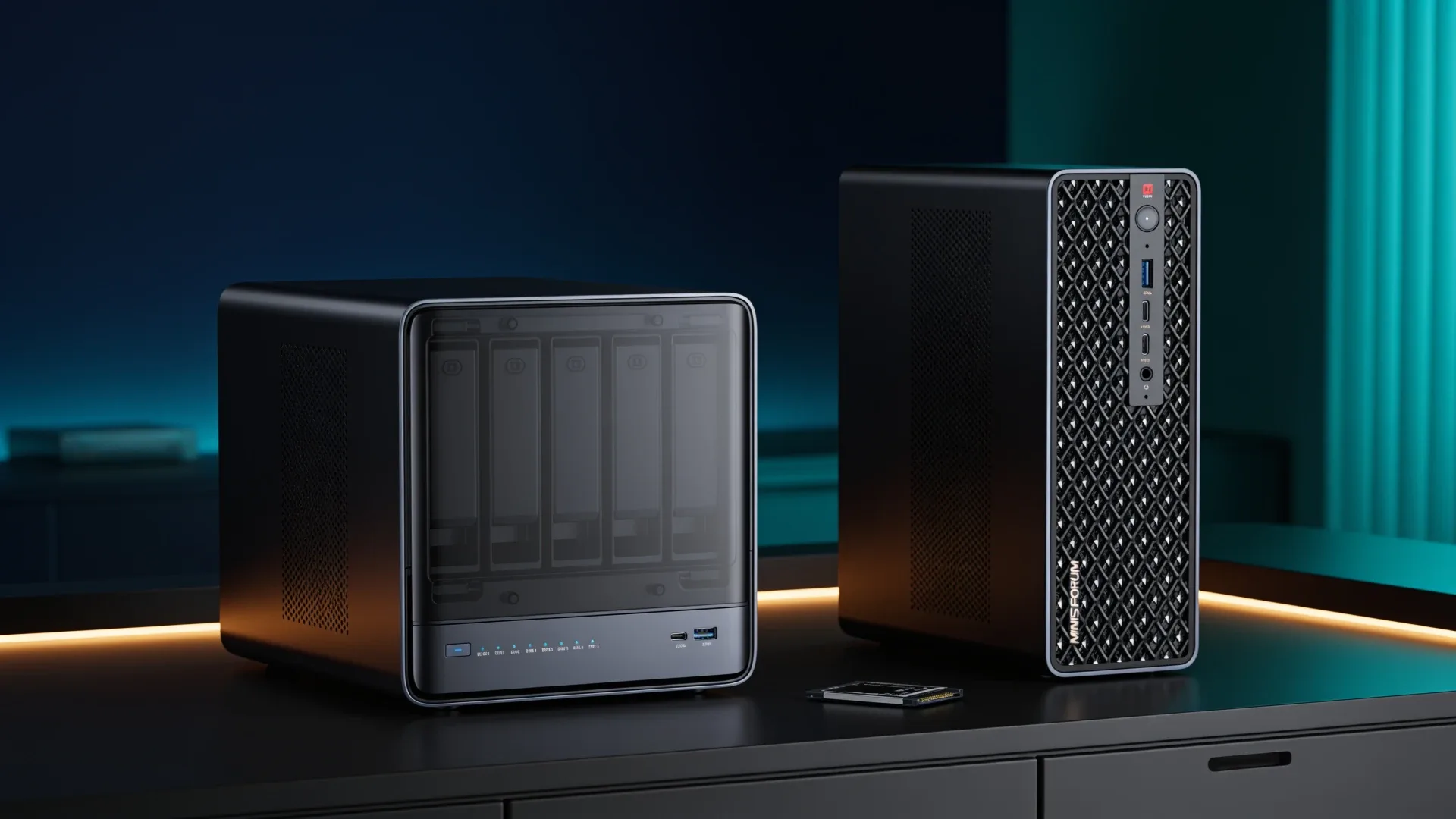
Quick price check: N5 Max 64GB · MS-S1 Max 128GB
The validated N5 Max is a five-bay NAS with a Ryzen AI Max+ 395 and fixed 64GB memory. The MS-S1 Max is a compact AI workstation with the same processor family and fixed 128GB memory. That makes the choice less about CPU branding and more about whether you need hard-drive bays or twice the model headroom.
Buy the N5 Max only when storage and local AI must share one chassis. Buy the MS-S1 Max when local models are the main workload and storage can live elsewhere.
The Short Answer
| Priority | Better fit | Why |
|---|---|---|
| Five direct hard-drive bays | N5 Max | NAS chassis and five-bay storage layout |
| Larger local models | MS-S1 Max | Validated 128GB unified memory |
| One combined NAS and AI server | N5 Max | Storage and compute in one platform |
| Dedicated AI workstation | MS-S1 Max | No drive-cage compromise and more memory |
| Existing separate NAS | MS-S1 Max | Avoids paying for duplicate bays |
| Independent performance evidence | Neither wins yet | Exact N5 Max measurement coverage remains limited |
The Hardware Boundary
| Feature | N5 Max retail configuration | MS-S1 Max |
|---|---|---|
| Processor | Ryzen AI Max+ 395 | Ryzen AI Max+ 395 |
| Graphics | Radeon 8060S | Radeon 8060S |
| Memory | Fixed 64GB LPDDR5X | Fixed 128GB LPDDR5X |
| Hard-drive bays | Five | None |
| M.2 storage | Five positions plus OS storage | Compact workstation storage layout |
| Networking | Dual 10GbE | Dual 10GbE |
| Best job | Storage plus moderate local AI | Dedicated large-model workstation |
The shared processor does not make these machines equivalent. The N5 Max memory ceiling determines which models can fit after the operating system and services reserve their share. The MS-S1 Max doubles that pool and therefore reaches a different model-capacity tier.
Choose the N5 Max for Consolidation
The N5 Max is compelling when one purchase replaces two boxes. Five hard-drive bays can hold the primary pool, five M.2 positions can separate applications and model data, and dual 10GbE can serve clients or another compute node.
That consolidation has real operational costs. Storage scrubs, media indexing, virtual machines, and inference all compete for cooling, memory, and I/O. A maintenance reboot takes both storage and AI offline. A hardware failure removes both services at once.
The exact Amazon N5 Max configuration linked here has 64GB of fixed memory. Do not plan around older 128GB references unless an exact supported configuration is available to buy. After the operating system, file services, and cache take their share, the GPU-visible pool is smaller than the headline number. MINISFORUM’s current N5 Max page also lists the storage topology, but it does not turn capacity into an independent tokens-per-second result.
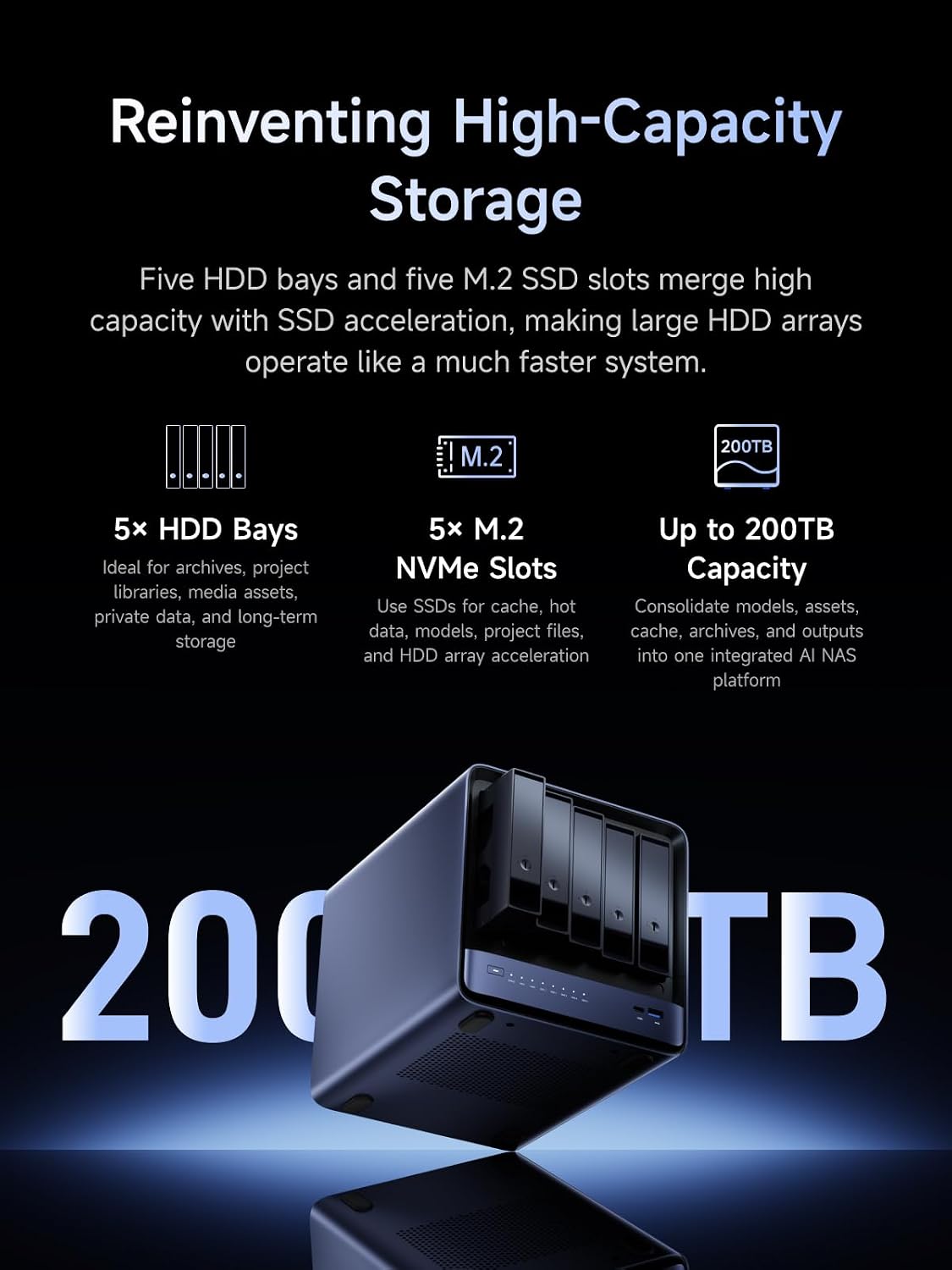
MINISFORUM product material showing the N5 Max hard-drive and solid-state positions.
→ Check the N5 Max 64GB configuration
Choose the MS-S1 Max for Model Capacity
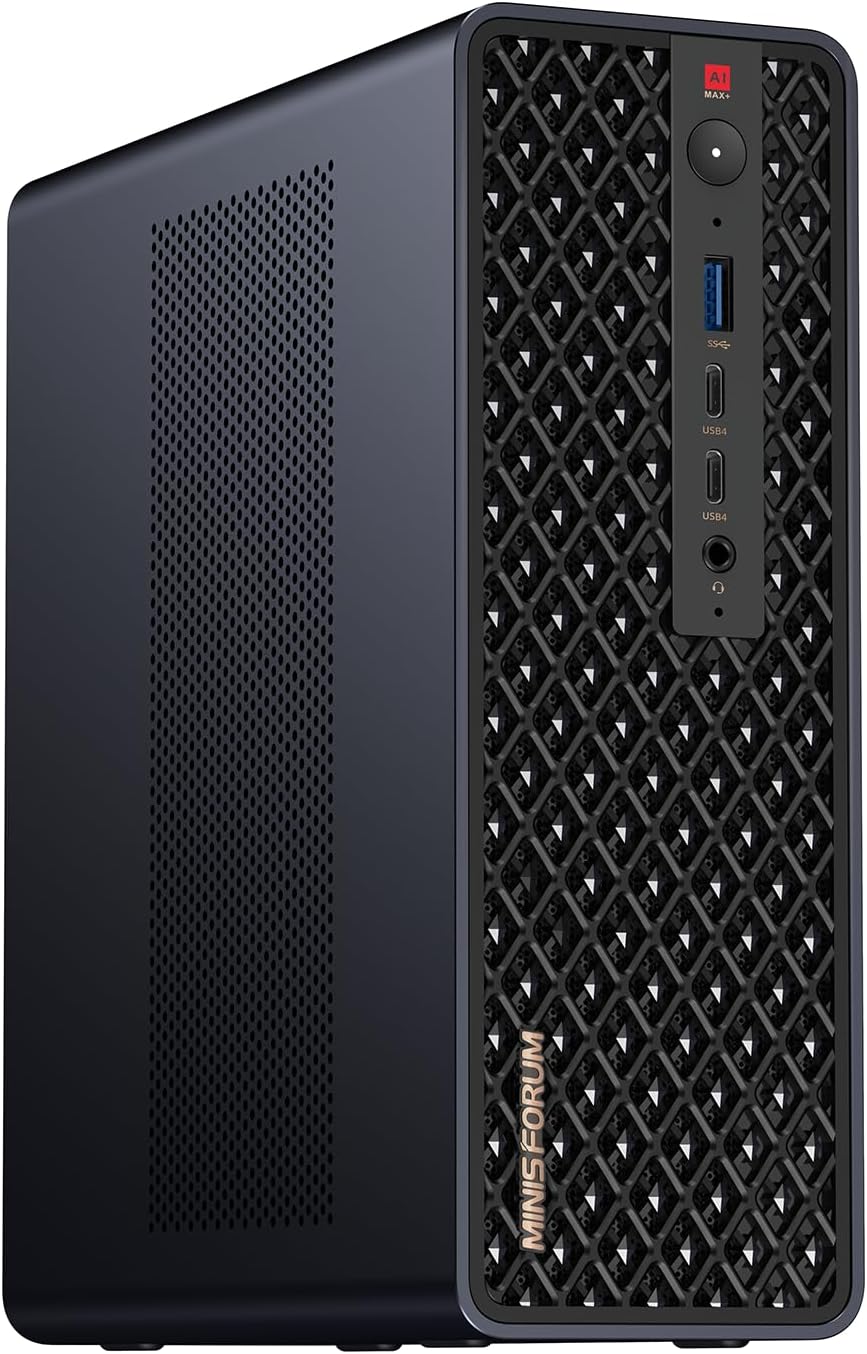
MINISFORUM product image showing the compact MS-S1 Max workstation.
The MS-S1 Max is the cleaner AI workstation. Its 128GB unified pool can hold models and context sizes that do not fit comfortably in a 64GB system. The Radeon 8060S accesses that same pool without a discrete-card VRAM boundary.
It is also easier to reason about. Storage remains on a NAS, the AI box handles inference, and a reboot does not interrupt file access. The trade is another chassis, another network link, and another power draw.
The 128GB capacity still does not make Strix Halo a substitute for every discrete GPU. Its memory bandwidth is much lower than a high-end graphics card. It wins when fitting the model matters more than maximum token speed.
→ Check the MS-S1 Max 128GB configuration
One Box or Two
Use this worksheet before deciding:
| Question | One N5 Max | NAS plus MS-S1 Max |
|---|---|---|
| Can 64GB hold the model plus services? | Required | No, AI box has 128GB |
| Must storage survive AI maintenance? | Weak fit | Strong fit |
| Is rack or desk space scarce? | Strong fit | Weaker fit |
| Is fault isolation important? | Weak fit | Strong fit |
| Do you already own a NAS? | Duplicate value | Strong fit |
| Is one purchase simpler? | Yes | No |
The split design costs more hardware but often produces a calmer homelab. The combined design is rational when 64GB is enough and physical consolidation has real value.
Failure-Domain Worksheet
Consolidation saves a chassis but couples unrelated services. Mark every row that must remain available during an AI update or a storage repair.
| Event | One N5 Max | NAS plus MS-S1 Max | Mitigation |
|---|---|---|---|
| AI runtime update needs reboot | files also stop | storage stays online | schedule maintenance or split nodes |
| Storage OS update needs reboot | AI also stops | AI can continue with cached data | keep a local model cache |
| Mainboard failure | storage and AI unavailable | one role remains | backups and spare host plan |
| Memory limit reached | entire platform replacement | replace only AI node | size 64GB honestly before purchase |
| Drive pool scrub | competes with AI for cooling and I/O | isolated workload | schedule or cap resources |
| Security boundary needed | services share one host | separate policies possible | VLANs do not replace host isolation |
| UPS shutdown | both roles stop together | each node can have a policy | size UPS for configured load |
If storage serves family photos, business data, or home automation while AI is experimental, the split architecture is usually worth the second box. If both workloads are personal and occasional, consolidation can be reasonable. The worksheet turns “one box is simpler” into a concrete uptime decision.
The 64GB Versus 128GB Memory Budget
Do not allocate the headline capacity entirely to a model. Use a budget:
| Memory consumer | N5 Max 64GB | MS-S1 Max 128GB |
|---|---|---|
| Operating system and services | reserve your measured amount | reserve your measured amount |
| File-system cache | cap deliberately | storage usually lives elsewhere |
| Model weights | enter exact quantized file size | enter exact quantized file size |
| Context and runtime cache | add workload estimate | add workload estimate |
| Safety headroom | keep meaningful spare capacity | keep meaningful spare capacity |
A just-fits model can fail when context grows or another service claims memory. The MS-S1 Max’s extra 64GB is valuable because it increases the safe capacity envelope, not because it guarantees twice the speed. Its official specification allows up to 128GB and documents the 128GB purchase option as a separate soldered configuration.
Storage Layout: More Slots Do Not Remove Contention
The N5 Max offers five SATA bays and five M.2 positions in addition to the system device. One M.2 link is PCIe 4.0 x4, while the remaining positions are x1. Put models and the busiest active data on the x4 drive. Use the x1 positions for applications, metadata, or less demanding datasets.
The MS-S1 Max has two M.2 positions, one x4 and one x1. That is enough for an operating-system drive plus a model drive, but it reinforces the dedicated-workstation design. Bulk storage belongs on a NAS reached over one of the dual 10GbE ports.
| Data class | N5 Max | MS-S1 Max |
|---|---|---|
| OS | separate system storage | x1 or included device |
| Models | x4 M.2 | x4 M.2 |
| Active application data | selected x1 M.2 | local or NAS depending latency |
| Bulk archive | five SATA bays | external NAS |
| Backup | external machine or removable media | NAS backup still needs another copy |
Network Design
Both machines expose dual 10GbE RJ45. On the N5 Max, one link can serve storage clients while the other handles backup or an isolated AI client network. On the MS-S1 Max, one link can pull models and datasets from a NAS while the second supports management or a second compute node.
Two ports do not automatically double one transfer. The switch, client, protocol, and storage all need compatible aggregation or multipath behavior. Price two switch ports only if the topology uses them.
Cost the Two Architectures
| Cost line | One N5 Max 64GB | Existing NAS plus MS-S1 128GB | New NAS plus MS-S1 128GB |
|---|---|---|---|
| AI compute | included | MS-S1 | MS-S1 |
| Five-bay storage | included | already owned | add storage host |
| Memory | fixed 64GB | fixed 128GB | fixed 128GB plus NAS memory |
| Model SSD | add or confirm | add or confirm | add or confirm |
| Drives and backup | add | add backup only | add drives and backup |
| Network ports | one or two 10GbE | one or two 10GbE | NAS and AI links |
| Failure isolation | low | high | high |
An existing NAS makes the MS-S1 path much easier to justify. Starting from zero, the N5 Max can save meaningful chassis, memory, and network cost as long as 64GB is truly enough. Do not use the current sticker price in isolation because every row except the processor changes the ownership outcome.
Performance Evidence Boundary
The two products share a Ryzen AI Max+ 395 and Radeon 8060S, but cooling modes, memory capacity, firmware, background workloads, and storage traffic differ. That is not evidence of a tie. Use independent measurements with the same model and runtime when speed matters. Treat vendor model-capacity claims as demonstrations, not guaranteed throughput for your environment.
Who Should Buy Neither
Skip both if your largest model fits comfortably in 24GB or 32GB of VRAM and speed matters more than capacity. A discrete GPU may be faster. Also skip the N5 Max if the system will only store files. The N5 Air and N5 Pro tiers put more of the budget into storage and upgradeable memory.
Use our local LLM hardware guide to size the model before buying either box.
Final Verdict
Buy the N5 Max when five drive bays and moderate local AI must live in one chassis, and the validated 64GB memory limit fits the complete workload. Buy the MS-S1 Max when local AI is the primary job, 128GB matters, and a separate NAS is acceptable.
This comparison is scoped to the linked 64GB N5 Max Amazon configuration and the linked 128GB MS-S1 Max. Storage and memory facts come from the current N5 Max and MS-S1 Max specifications. We have not physically tested either machine, and shared silicon is not presented as proof of equal sustained performance.
Current Buying Links
- MINISFORUM N5 Max 64GB: Check current price
- MINISFORUM MS-S1 Max 128GB: Check current price