
Nextcloud vs Immich vs Seafile: Which Fits Your Mini PC?
By Max · October 14, 2026 · Updated November 18, 2026
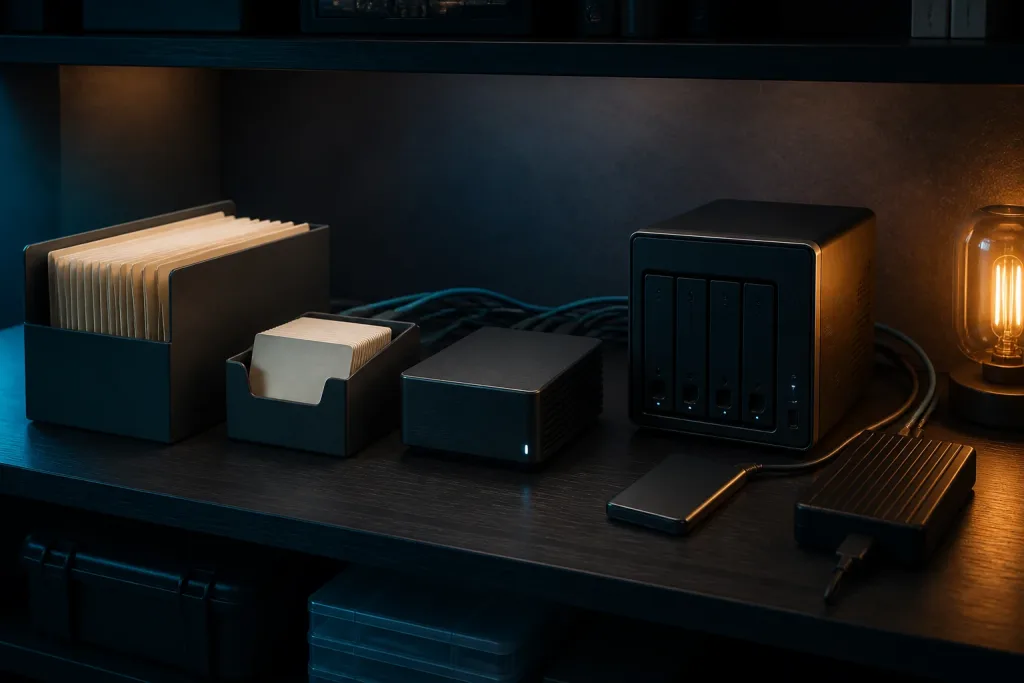
Illustration of a household file and photo archive.
Nextcloud, Immich, and Seafile overlap just enough to make the choice confusing. All three can keep data on your own hardware, but they are built around different jobs.
Our short answer is simple:
- Choose Nextcloud when you want a broad household cloud with file sync, sharing, calendars, contacts, and add-on applications.
- Choose Immich when photos and videos are the main event and timeline browsing, mobile backup, search, and machine learning matter more than office features.
- Choose Seafile when fast, focused file libraries are the priority and you do not need Nextcloud’s wider application suite.
You do not have to force one service to do every job. A common sensible design is Seafile or Nextcloud for files plus Immich for photos. That adds another application to maintain, so it only makes sense when the focused photo experience is worth the extra database, storage, and backup work.
The decision at a glance
| Platform | Best at | Official starting guidance | Main resource pressure | Choose it when |
|---|---|---|---|---|
| Nextcloud | File sync, sharing, calendars, contacts, and collaboration | Memory varies by activity. Nextcloud lists 128MB per process as a minimum and recommends 512MB per process | PHP workers, database work, previews, background jobs, and add-ons | You want one broad private cloud |
| Immich | Photo and video backup, timeline browsing, search, and photo machine learning | 6GB RAM minimum, 8GB recommended, 4GB possible with machine learning disabled | PostgreSQL, thumbnails, video previews, imports, and machine-learning jobs | Photos are the primary reason for self-hosting |
| Seafile Community Edition | Focused file libraries and sync | 2GB RAM, 2 CPU cores, 10GB free disk minimum, more than 50GB recommended | MariaDB, Redis, indexing, and the file library | You want file sync with a smaller feature surface |
These figures are not equivalent benchmark results. Nextcloud’s memory guidance is per process, Immich’s is a platform requirement, and Seafile’s is a deployment minimum. They are useful for understanding direction, not for promising a user count.
For a broader hardware decision, start with our mini PC home server guide. If you already know that you want several containers, our self-hosting hardware guide maps lighter and heavier workloads to different host tiers.
Nextcloud is the broadest option
Nextcloud is the closest of the three to a self-hosted Google Drive and collaboration suite. File sync is the foundation, but the platform can also handle calendars, contacts, sharing, previews, office integrations, video calls, and a large app ecosystem.
That breadth is its advantage and its cost. More features mean more settings, more background work, and more ways for an upgrade or permission mistake to affect the experience. Nextcloud’s current administration documentation says memory use varies with users, apps, files, and server activity. It lists 128MB RAM per process as a minimum and recommends at least 512MB per process.
Do not read those numbers as a complete host requirement. The operating system, web server, database, Redis, PHP workers, file previews, and other containers all need room. A small household can run Nextcloud on a modest mini PC, but a machine that also runs photo indexing and media services needs more headroom than a file-only installation.
Nextcloud also expects a real database. The current documentation recommends MariaDB or PostgreSQL for normal deployments. SQLite is reserved for testing and very small instances in the requirements documentation, which makes it a poor choice for a growing family cloud.
Redis is another important distinction. Nextcloud documents Redis for transactional file locking and recommends a system cron mode for background jobs. If you install the web interface and then ignore cron, previews, file scans, notifications, and other maintenance work can fall behind while the dashboard still appears available.
Choose Nextcloud when:
- You need files, calendars, contacts, and sharing in one account system
- Several people need different folders, quotas, and collaboration features
- You want to add applications over time
- You accept that upgrades and background jobs deserve regular attention
Do not choose Nextcloud just because it can display photos. Its photo features can be useful, but a photo-first application is a better fit when the timeline, mobile upload, search, face grouping, and video handling are the reason you are leaving a hosted service.
Immich is the photo specialist
Immich is built around a photo and video library rather than a general file system. Its mobile backup flow, timeline, albums, search, map views, and machine-learning features make it a strong choice when the main goal is a private Google Photos alternative.
The server can feel light while you browse a finished library. The heavier work arrives during a first import, after a large phone migration, or when the system generates thumbnails, transcodes video, recognizes faces, and classifies objects.
Immich’s current requirements list 6GB of RAM as a minimum and 8GB as recommended. A 4GB machine can run Immich with machine-learning features disabled, but that is a different experience and leaves little room for other services. The documentation also recommends at least two CPU cores and four cores for a smoother setup.
The database deserves special attention. Immich’s PostgreSQL files are typically 1 to 3GB, and the project recommends placing the database on local SSD storage rather than a network share. When Docker limits are used, the requirements page says PostgreSQL needs at least 2GB of RAM. That is why an Immich host can need more memory than a file-sync host even when both store a similar amount of user data.
The photo library also needs more than the original files. Immich documents an average 10 to 20 percent increase from thumbnails and transcoded video, although your media mix can differ. Video resolution, codecs, import history, and retention settings all affect the result.
Choose Immich when:
- Photos and videos are your primary data type
- You want mobile backup and a timeline designed around visual media
- You can provide at least 8GB of RAM for a comfortable starting point
- The database and active application data can live on local SSD storage
- You are willing to schedule or tolerate a machine-learning queue
Our Immich on a mini PC guide covers accelerator choices, staged imports, storage growth, and the difference between serving photos and processing them.
Seafile is the focused file-sync option
Seafile is a better fit when you want file libraries and synchronization without adopting a large collaboration suite. It is especially appealing when your priority is predictable file access, sharing, and a smaller application surface.
The current Seafile 13 Community Edition documentation lists 2GB of memory, two CPU cores above 2GHz, and 10GB of available disk as minimum guidance. It recommends more than 50GB for storage. Those figures describe Seafile’s deployment. Nextcloud’s per-process memory figure cannot be used to rank the two hosts.
The standard Docker deployment includes Seafile, MariaDB, Redis, SeaDoc, and Caddy. Each component has a role in the service and each adds a configuration or recovery concern. The total host still needs an operating system, Docker, image storage, logs, and headroom for updates.
Seafile Community Edition and Seafile Pro also have different planning profiles. The current Pro guidance recommends four cores and 4GB of RAM for the Docker deployment because its default search path uses an indexer. SeaSearch or an external search service changes that design, but it does not make every Pro deployment equivalent to Community Edition.
Choose Seafile when:
- File sync and libraries matter more than calendars or a large app ecosystem
- You want a focused interface for files and shares
- Your mini PC has limited memory but still needs a real database and cache
- You are prepared to follow Seafile’s release-specific Docker files
Do not choose Seafile expecting it to replace a photo application. It can store photos as files, but storing a photo and managing a photo library are different jobs.
Hardware demand is about the busy moments
Idle memory is a poor way to compare these services. The more useful question is what each platform does when work arrives.
| Workload | Nextcloud | Immich | Seafile |
|---|---|---|---|
| Normal file browsing | Low to moderate web and database activity | Not its main role | Low to moderate activity |
| Phone photo backup | Works through apps and file sync | Primary workflow | File upload without photo-first organization |
| Large first import | File scans, previews, and background jobs | Thumbnails, previews, database writes, and machine learning | Library indexing and database work |
| Search | App and file metadata, depending on features | Photo metadata, visual search, and face or object jobs | File indexer path varies by edition |
| Collaboration | Broadest feature set | Sharing centered on photos and albums | File sharing and libraries |
| Hardware acceleration | Usually not central to the basic file workflow | Relevant to video and machine-learning backends | Advanced AI and indexing paths vary by component |
Nextcloud usually becomes harder to keep responsive when you add many applications, users, previews, and background jobs. Immich becomes harder during a large photo import or machine-learning queue. Seafile becomes more complex when you move from a focused Community Edition deployment to Pro search and other extensions.
That difference changes how you should size a mini PC. A 4GB host can be reasonable for a very small Seafile Community Edition deployment, but it is a narrow fit for Immich with machine learning. An 8GB host is the sensible floor for a new Immich deployment, while 16GB gives a shared host more room for databases, imports, and unrelated services. These are planning tiers, not capacity promises.
Use the VM capacity estimator when one of these services will run inside a virtual machine. It helps account for the guest reserve before you allocate memory to the application. If the host will run all day, compare the extra storage and CPU headroom against the power cost calculator.
Storage ownership matters more than the application name
Do not begin by asking which platform can point at the same folder. Begin by deciding which application owns each file and how that data will be backed up.
Nextcloud can expose local external storage to users, but the current documentation treats local mounts as an administrator-controlled feature with permission requirements. It can display another directory without becoming the safe owner of every application that also touches that directory.
Immich can scan external libraries, but its documentation says external assets have different behavior from uploaded assets. Metadata can live inside Immich, files may need a rescan after outside changes, and a network-mounted library may not support automatic watching. With a read-only mount, Immich can keep album membership and descriptions in its database. It cannot write XMP sidecars beside the source files or delete the originals.
Seafile organizes files into its own libraries and database relationships. Do not treat its storage directory as a normal folder for another service to edit. If two platforms need to show the same family photos, use a deliberate import or read-only presentation path and document which service is authoritative.
The safe patterns are:
- Nextcloud owns documents, shared folders, calendars, and contacts. Immich owns the photo library.
- Seafile owns synchronized file libraries. Immich owns the photo library.
- One platform owns a folder and the other receives a copy or a documented read-only view.
- Backups preserve each platform’s database and configuration with its files.
The unsafe pattern is having two applications rewrite the same live directory and hoping their file watchers reconcile the changes. A file can be present while its database record, thumbnail, permissions, album membership, or sync state is wrong.
Use the NAS capacity calculator for the primary library and its backup copy. Keep Immich’s PostgreSQL data on local SSD storage even when the original photo files live on a NAS. For Nextcloud or Seafile, document what happens when the network storage disappears before you move the data path.
How much room will the library need next year?
Suppose your household has 1.20 TB of photos and videos, adds 25 GB each month, and has 300 GB of documents. Using decimal units, twelve months adds 0.30 TB. That brings next year’s originals to 1.50 TB. Immich reports that generated thumbnails and transcoded video add 10 to 20 percent on average. Using the upper end as an example adds 0.30 TB, for a working library of 2.10 TB including documents. A household that records a lot of video should measure its own ratio after the first import. Immich storage requirements.
Write down these other demands before picking a disk:
| Where the space goes | How to budget it |
|---|---|
| Live pool | Add the database, logs, file versions and trash to the working library. At an 80 percent fill target, 2.10 TB alone needs 2.625 TB of usable pool capacity before those extras |
| Recovery copy | Budget the files and database on a different system. Retaining several versions costs more than one current copy. A mirror protects against a drive failure but still mirrors a deletion |
| Migration workspace | Keep the old service readable while importing into the new one. If you copy the same originals into two services, count both copies until the old one is retired |
Use the NAS capacity calculator to compare the working library against capacity after parity and reserved free space. Plan the independent backup separately. To estimate your own growth, subtract last month’s total originals from this month’s and check it against a longer period that includes holidays or large video imports.
What has to survive the move?
| Service | Recovery set | What to verify with a second account |
|---|---|---|
| Nextcloud | Data, configuration, database, custom apps and theme. Include any separately mounted storage the household uses | A recipient can edit the shared folder you intended and cannot open a private sibling. Check password and expiry on a public link |
| Immich | PostgreSQL dump, upload and library directories, profiles, thumbnails and encoded videos. Preserve external originals and their container mount paths separately | Download an original and open a shared album as its recipient. Confirm a private photo stays out of that album |
| Seafile | Library blocks and service configuration plus the account, library and web databases. Common names are ccnet_db, seafile_db and seahub_db | Sync the restored library into an empty client folder. Check file contents, history and a read-only share from the recipient’s account |
Nextcloud’s maintenance mode helps hold the files and database at one recovery point. For Immich, pause writes during backup when possible. If uploads must continue, Immich recommends collecting the database first, then the filesystem, to reduce the risk of restored records pointing to absent files. Seafile also documents database-first backup and a consistency check using seaf-fsck after restore. Follow the manual for the installed release. Nextcloud backup, Immich backup and restore and Seafile backup and recovery.
Switching applications is different from restoring one. Export ordinary files through the old application’s supported client or export interface. A new service can read a JPEG without knowing which relative shared it, which album held it, or when a public link should expire. Inventory the shares you intend to recreate. Leave expired or revoked links behind. If using an identity provider, verify that the destination maps the household’s accounts to the intended libraries before enabling phone uploads or desktop sync.
- Pick a small folder with a photo, a video, a document, a shared item and a private item. Include two identically named files in different directories so a flattened export is easy to spot.
- Export it to a staging directory. Compare relative paths, counts and checksums of original downloads at both ends. For example, run
sha256sum "Trips/river.jpg"in each export root. Compare dates in the timeline separately, especially for screenshots or scans without camera metadata. - Recreate one share and test it as the recipient. Also try an account that should have no access. For Immich, check that the video plays and its original downloads. For a sync service, let a clean client finish its first sync before reconnecting existing clients.
- Pause uploads and sync on the source, transfer the final changes and switch one client. Leave the source read-only until the destination passes the same checks and you can restore its backup. If the pilot fails, stop destination writes, collect any new files separately, then reconnect clients to the original service.
For implementation, follow the Nextcloud setup guide or the Immich deployment guide. The 3-2-1 backup guide covers independent copies and restoration after a loss.
Should you run two services?
Running Nextcloud plus Immich or Seafile plus Immich is reasonable when the roles are clear. It is not automatically more reliable. You now have two web applications, at least two databases, separate update schedules, more backup targets, and another account or sharing model to explain to household users.
Use two services when:
- Photos are important enough to deserve a photo-first interface
- Files and photos need different ownership or sharing rules
- The mini PC has enough memory for both busy periods
- You have a backup plan for both databases and both data trees
- You can keep the photo originals separate from the file-sync library
Stay with one service when:
- You mainly need documents and occasional photo folders
- You have a 4GB host and want the smallest maintenance burden
- You do not want to monitor two databases and two update paths
- Your household will be confused by separate photo and file applications
If you choose two, put the databases and active application data on SSD storage, keep large originals on the storage tier that fits your growth plan, and give each platform its own Compose project or VM boundary. Our Docker setup guide covers the host patterns, while the application-specific guides should provide the current service files.
A practical choice by host size
A 4GB mini PC
Choose Seafile Community Edition for focused file sync if the library is small and the host runs few other services. Nextcloud can work for a small installation with careful expectations, but its per-process guidance and database requirements leave less room than a simple “2GB app” label suggests.
Immich is possible with machine learning disabled, but it is not the platform to choose if photo recognition is the reason you are self-hosting. Do not add Nextcloud and Immich together on this host.
An 8GB mini PC
This is the sensible starting tier for Immich with its documented recommendation. It can also host a small Nextcloud or Seafile deployment, but leave room for the operating system, database, imports, and unrelated containers.
An 8GB host is a good fit for one primary platform. It can run two focused services when libraries are modest and you schedule heavy work, but do not size it by adding minimum figures and treating the total as a guarantee.
A 16GB mini PC
Sixteen gigabytes gives a shared host much better recovery room. It is a comfortable planning tier for Immich plus a modest file-sync service, or for Nextcloud with several apps, provided the storage and backup design are equally deliberate.
More memory does not fix a poor database path, a full disk, a weak backup, or an unsupported hardware-acceleration setup. It buys headroom while you solve those problems.
Remote access and backup boundaries
All three platforms become higher-risk when exposed directly to the public internet. Use a VPN for private access when possible, or put the service behind a maintained HTTPS access layer with strong authentication and timely updates.
Immich’s current remote-access guidance specifically warns against forwarding its plain web port directly to the internet. That advice applies to the comparison as a whole: a clean domain name is not a security plan.
Backups also differ by application:
- Nextcloud needs its data directory, database, configuration, and app-aware recovery steps.
- Immich needs originals, database data, generated files that matter to your chosen setup, configuration, and any external-library paths.
- Seafile needs its data directory, database, configuration, and the release-specific recovery procedure.
A second copy of the files without the database is incomplete for all three. A database dump without the originals is also incomplete. Keep one backup outside the mini PC and practice restoring a small account or library before the main disk fails.
Who should not choose each platform
Skip Nextcloud if you only want a fast photo timeline and do not need its collaboration features. Its wider surface area creates maintenance work that a photo-focused service avoids.
Skip Immich if you mainly need documents, desktop file synchronization, calendars, or office collaboration. Its 6GB minimum and 8GB recommendation also make it a poor first choice for a very small host when machine learning is not important.
Skip Seafile if you want a broad application ecosystem, integrated calendars and contacts, or a photo experience with visual search and face grouping. Check the edition and search requirements before assuming its low Community Edition floor applies to a Pro deployment.
Final verdict
Nextcloud is the best all-purpose private cloud of these three. It asks for the most patience because its value comes from the breadth of the platform.
Immich is the best photo application. Give it the most careful hardware and storage plan, especially when a large first import or machine learning is involved.
Seafile is the best focused file-sync choice when you want libraries and sharing without building a larger collaboration suite. Its Community Edition can fit a smaller host, but its supporting services still need backups and upgrades.
If you need both files and photos, we recommend choosing the platform that owns your documents first, then adding Immich only when its photo workflow justifies the extra service. Keep the data paths separate, keep Immich’s database on local SSD storage, and size the mini PC for the busy moments rather than the quiet dashboard.
Frequently Asked Questions
Which service should I choose for family photos?
Choose Immich when phone uploads, albums and timeline search are the priority. Back up the original media and its database together.
Can Seafile and Immich edit the same library?
Give each service its own writable storage. Export ordinary files from Seafile before importing them into Immich. Seafile library blocks are internal application data.
Does a Nextcloud file export preserve public links?
Copying files to a different platform does not transfer Nextcloud share records. Inventory the links you need, then recreate their permissions and expiry on the destination.
Does an Immich database backup contain the original videos?
No. The database records paths and metadata. Keep the media directories and external-library originals alongside a matching database backup.
How can I check a migration before switching every client?
Move a small library first. Compare original downloads and relative paths, check a shared and a private item under separate accounts, then let one clean client sync before cutover.
Sources and further reading
- Nextcloud system requirements
- Nextcloud database configuration
- Nextcloud background jobs
- Nextcloud local external storage
- Immich requirements
- Immich machine-learning hardware acceleration
- Immich external libraries
- Immich remote access
- Seafile system requirements
- Seafile Docker overview
- Seafile Community Edition Docker setup