
This article contains affiliate links. If you purchase through our links, we may earn a commission at no extra cost to you. We only recommend products we’ve thoroughly researched and verified.
If you want the hardware shortlist first, start with our Home Assistant hardware requirements guide, best mini PC for Home Assistant, and how to run Home Assistant on Proxmox.
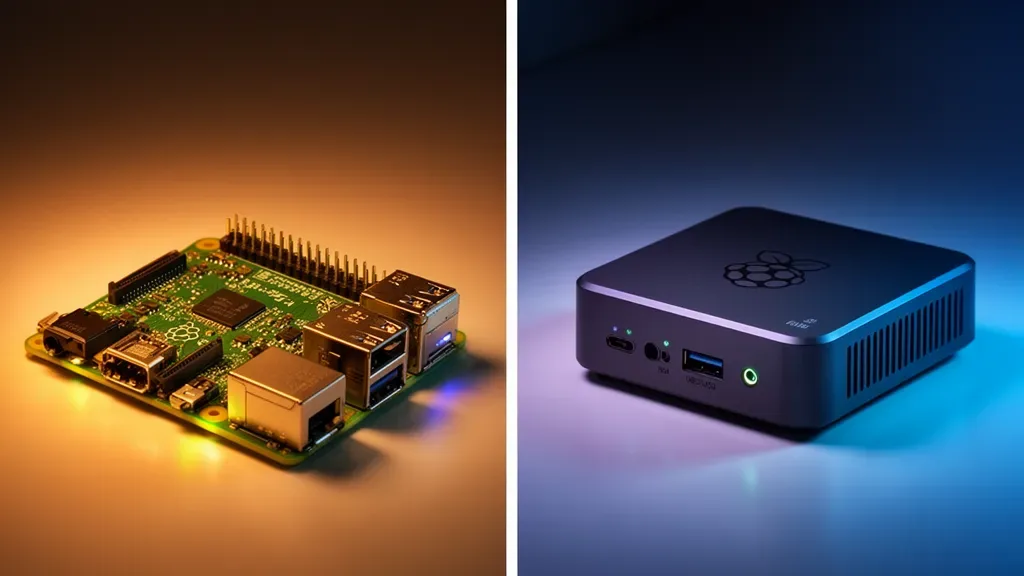
Home Assistant’s two most popular hardware platforms are the Raspberry Pi and mini PCs. Both run Home Assistant OS officially. Both work well. But they’re not equivalent — the right choice depends on your budget, plans for growth, and tolerance for the Raspberry Pi’s unique quirks.
This guide gives you the honest comparison for 2026.
If your goal is an always-on box that also runs Frigate, backups, or a few extra services, our best mini PC for home server guide is the faster path to the x86 shortlist.
The Short Answer
Choose Raspberry Pi 5 if:
- You’re on the tightest possible budget
- You specifically need GPIO pins for physical sensors
- You already have a Pi 5 unused
- You plan to use HAOS only — no heavy add-ons
Choose a mini PC Beelink EQ14 or similar if:
- You want 16GB+ RAM for Frigate NVR, many add-ons, or future growth
- You want NVMe storage reliability without extra purchases
- You want x86 add-on compatibility
- You plan to run other services alongside HAOS
Side-by-Side Comparison
| Factor | Raspberry Pi 5 8GB | Beelink EQ14 | Winner |
|---|---|---|---|
| Base price | ~$80 | ~$180-200 | Pi 5 |
| Total cost with storage + case | ~$130-160 | ~$180-200 | Tie / EQ14 |
| RAM | 8GB LPDDR4X | 16GB DDR4 | EQ14 |
| Storage built-in | None SD/USB/NVMe HAT | 500GB NVMe | EQ14 |
| Storage type | SD card default | NVMe SSD | EQ14 |
| CPU | 4× ARM Cortex-A76 2.4GHz | Intel N150, 4× 3.6GHz | EQ14 |
| CPU architecture | ARM64 | x86-64 | EQ14 |
| x86 add-on support | No | Yes | EQ14 |
| NIC | 1× 1GbE | 2× Intel 2.5GbE | EQ14 |
| Power draw idle | ~4-6W | ~6-8W | Pi 5 |
| GPIO pins | 40-pin GPIO | None | Pi 5 |
| HAOS official support | Yes | Yes | Tie |
| SD card failure risk | Yes without HAT | No | EQ14 |
| Frigate NVR 4 cameras | Marginal + Coral | Good | EQ14 |
| Form factor flexibility | Many cases | Compact fixed | Pi 5 |
The True Cost Comparison
The Raspberry Pi’s “$80” price is deceptive when building a complete Home Assistant system:
Raspberry Pi 5 8GB complete build:
- Pi 5 8GB: ~$80
- Official case: ~$10-15
- Official power supply 5V/5A: ~$10-12
- MicroSD card 32GB+, decent quality: ~$10-15
- Optional but strongly recommended: NVMe HAT ~$25-35 + NVMe SSD ~$20-30 — prevents SD card failure
Total without NVMe: ~$110-120
Total with NVMe: ~$145-165
Beelink EQ14 complete build:
- EQ14: ~$180-200
- Everything included — case, power supply, NVMe SSD, RAM
The real gap is ~$20-50, not the $100 the base Pi price suggests. And the EQ14 ships with twice the RAM and a 500GB NVMe vs the Pi’s base SD card configuration.
Performance Comparison
HAOS Boot Time and Responsiveness
HAOS from NVMe SSD boots in 15-25 seconds on a mini PC. HAOS from a quality SD card SanDisk Endurance boots in 30-45 seconds on a Pi 5. Both are fast enough for a home automation hub that rarely reboots.
Dashboard loading with 30+ entities: mini PC loads 20-30% faster due to NVMe database reads.
Integration Processing
Home Assistant’s event loop processes device state changes, automations, and polling. With 50+ devices:
- Pi 5 8GB: Handles comfortably under ~40% CPU load
- EQ14 N150: Handles comfortably under ~20% CPU load
Both platforms are fast enough for any reasonable home automation setup. Performance differences appear under load: 100+ devices, complex automations, many simultaneous integrations.
Frigate NVR Performance
This is where the platforms diverge significantly:
Pi 5 4GB with Coral USB: 3-4 cameras at 5fps detection — workable but tight EQ14 with Coral USB: 4-6 cameras at 5fps detection — comfortable
Pi 5 without Coral: 1-2 cameras maximum before CPU overload EQ14 without Coral: 2-3 cameras manageable
For 6+ cameras, a mini PC or dedicated server is the right choice — the Pi 5 simply doesn’t have enough CPU headroom.
Add-On Compatibility
This is a significant and often overlooked difference.
x86-Only Add-Ons
Some Home Assistant add-ons only provide x86 amd64 builds:
- Frigate NVR: ARM64 support added but x86 is more tested
- Some monitoring tools and database servers
- Older community add-ons that predate ARM64 optimizations
On a mini PC: install any add-on from the HA Add-on Store without compatibility concerns.
On a Pi 5: occasionally encounter “not available for your architecture” errors.
Supervisor and Docker Add-Ons
Both platforms run the same HAOS Supervisor. Docker containers within add-ons need ARM64 builds on Pi, x86-64 builds on mini PC. Major add-ons Zigbee2MQTT, Mosquitto, MariaDB, Node-RED, AdGuard support both. This gap has narrowed considerably since 2023.
The SD Card Failure Problem
Home Assistant OS writes to storage constantly:
- SQLite/MariaDB state history: continuous writes
- Log files: continuous writes
- Configuration saves: frequent writes
- Add-on data: variable writes
Consumer SD cards are not rated for this workload. Even “high endurance” cards eventually fail. This is the Pi 4’s most documented reliability issue, and the Pi 5 inherits the same concern when used with SD cards.
Solutions for Pi 5:
- NVMe HAT + NVMe SSD: Best solution, eliminates the SD card entirely ~$45-65 extra
- USB SSD: Boot from USB 3.0 SSD — works well, ~$20-30 extra
- High-endurance SD card SanDisk MAX Endurance: Delays failure, doesn’t prevent it
Mini PC: NVMe SSD is built in. No additional purchases, no reliability concern.
When the Raspberry Pi 5 Is the Right Choice
Despite the mini PC’s advantages, the Pi 5 makes sense in specific scenarios:
GPIO integration: Physical sensors — temperature probes, relay switches, custom hardware — attach directly to the Pi’s 40-pin GPIO header. This is impossible on a standard mini PC without separate hardware.
Existing Pi ecosystem: If you have a Pi 5 and accessories already, running HAOS on it is an excellent use of existing hardware.
Absolute minimum budget: If $80-130 is your actual limit and you’ll skip Frigate NVR and heavy add-ons, the Pi 5 handles basic HAOS well.
Learning and experimentation: The Pi’s ecosystem has more hobbyist documentation than mini PC platforms for creative hardware projects alongside HAOS.
When a Mini PC Is the Right Choice
Frigate NVR: Running Frigate alongside HAOS on a mini PC is dramatically more capable than a Pi 5, especially with 4+ cameras.
Many integrations: Users with 100+ entities, many polling integrations, and complex automations benefit from more RAM and faster x86 execution.
Reliability requirement: You’re building a home automation system you’ll actually depend on. NVMe storage, no SD card risk, more RAM for headroom.
Other services: Running Pi-hole, Plex, or other services on the same machine — 16GB RAM and a full x86 OS give much more flexibility.
Our Recommendation
For a first Home Assistant build with no other requirements: Raspberry Pi 5 8GB with a USB SSD boot drive.
→ Raspberry Pi 5 8GB on Amazon
For a “build it right” dedicated HAOS server, or any setup with Frigate NVR: Beelink EQ14 with dual 2.5GbE, 16GB RAM, and built-in NVMe storage.
See our Home Assistant hardware requirements guide and Home Assistant setup guide for configuration details on both platforms.
Who Should Skip This Comparison
Skip this comparison if you need GPIO pins — a mini PC can’t replicate physical header access without external hardware. If your Home Assistant build involves direct sensor wiring, relay control, or custom hardware attached to the Pi’s GPIO, the Pi 5 is the right choice and this comparison doesn’t apply.
Skip it also if you already own a Raspberry Pi 5 and it’s sitting unused. Running HAOS on existing Pi hardware is a sensible use of what you already own — there’s no reason to buy a mini PC if the Pi 5 covers your integration count and you’re not running Frigate.
Frequently Asked Questions
Can I migrate from Raspberry Pi to a mini PC later?
Yes. Home Assistant has a backup/restore system that migrates your configuration, automations, and entity history to a new machine. The process takes 30-60 minutes. Your Zigbee dongle, Z-Wave stick, and other USB accessories move with you — just plug them into the mini PC.
Do I need Plex Pass for Home Assistant integration?
No — Home Assistant’s Plex integration is separate from Plex Pass and works without it. If you want hardware transcoding in Plex separate app, Plex Pass is required.
Does Home Assistant have better performance on Linux vs. HAOS?
HAOS Home Assistant OS is the official, fully-supported installation method and provides the best balance of features and simplicity. Home Assistant Supervised on Debian gives more system access but requires more maintenance. For most users, HAOS on either Pi 5 or mini PC is the right choice.
Can I use the Beelink EQ14’s GPIO-equivalent for hardware sensors?
No. The EQ14 and similar mini PCs don’t have GPIO headers. For physical sensor integration with a mini PC, use USB-connected sensors, Zigbee/Z-Wave wireless sensors, or a separate microcontroller ESP32 via ESPHome that communicates with HAOS over WiFi/MQTT.
What Zigbee coordinator should I buy?
The SONOFF Zigbee 3.0 USB Dongle Plus-E ~$20 is the current community recommendation for both Pi and mini PC. It works with Zigbee2MQTT and HAOS’s built-in ZHA integration, supports Zigbee 3.0, and has excellent range.
Is a Raspberry Pi or mini PC better for Home Assistant in 2026?
For most users in 2026, a mini PC offers better value. The Beelink EQ14 at ~$180-200 includes 16GB RAM, 500GB NVMe SSD, and dual 2.5GbE NICs in a complete package. The Raspberry Pi 5 8GB at ~$80 requires additional purchases for case, power supply, and fast storage — bringing total cost to $130-160 while offering less RAM and slower storage.
Does the Raspberry Pi 5 run Home Assistant well?
Yes. The Raspberry Pi 5 runs Home Assistant OS excellently and is an officially supported platform. It’s faster than the Pi 4, handles dozens of integrations, and supports add-ons. The main limitation is ARM compatibility — some add-ons lack ARM builds, though this improves with each HAOS release.
Will my Zigbee dongle work on both platforms?
Yes. USB Zigbee and Z-Wave dongles SONOFF, ConBee II, Aeotec Z-Stick work identically on Raspberry Pi and mini PCs. Both run HAOS from official images and configure dongles the same way through the HAOS interface.
What’s the risk of SD card failure on Raspberry Pi?
Home Assistant OS writes to the SD card continuously — logs, SQLite database updates, and state changes. Most SD cards fail within 6-24 months under this workload. Using an NVMe HAT or USB SSD eliminates this risk, but adds $20-40 to the Pi’s cost. Mini PCs use NVMe SSDs internally, removing this concern entirely.