
Apple Mac Mini M4 Pro Review 2026 — 12-Core, 24GB, 512GB
By Max · May 2, 2026 · Updated May 5, 2026
This article contains affiliate links. If you purchase through our links, we may earn a commission at no extra cost to you. We only recommend products we’ve thoroughly researched and verified.
→ Check Renewed Price on Amazon
The Mac mini M4 Pro is the version that turns Apple’s tiny desktop from a smart mainstream buy into a serious workstation candidate. We verified the hardware against Apple’s official technical specifications and cross-checked performance context from Tom’s Hardware, Macworld, and Notebookcheck before writing this review.
The appeal is obvious. You get much more CPU throughput than the base M4, a large jump in memory bandwidth, Thunderbolt 5, and the compact chassis that makes the current Mac mini line so easy to fit into a real workspace. The problem is just as obvious: Apple still locks memory and storage at purchase, and once you start paying for upgrades you land directly in premium Windows mini PC territory.
Mac Mini M4 Pro Specs at a Glance
| Spec | Detail |
|---|---|
| Chip | Apple M4 Pro |
| CPU | 12-core CPU on the base M4 Pro model |
| GPU | 16-core GPU on the base M4 Pro model |
| Neural Engine | 16-core Neural Engine |
| Memory | 24GB unified memory on the base M4 Pro model |
| Memory Ceiling | Up to 64GB |
| Storage | 512GB SSD on the base M4 Pro model |
| Storage Ceiling | Up to 8TB |
| Memory Bandwidth | 273GB per second |
| Rear Ports | 3 Thunderbolt 5 ports, HDMI, Gigabit Ethernet |
| Front Ports | 2 USB-C ports, 3.5 mm headphone jack |
| Networking | Gigabit Ethernet, Wi-Fi 6E, Bluetooth 5.3 |
| Optional Networking | 10Gb Ethernet at order time |
| Display Support | Up to 3 displays |
| Size | 5 by 5 by 2 inches |
| Weight | 1.6 pounds |
| Starting Price | $1,399 |
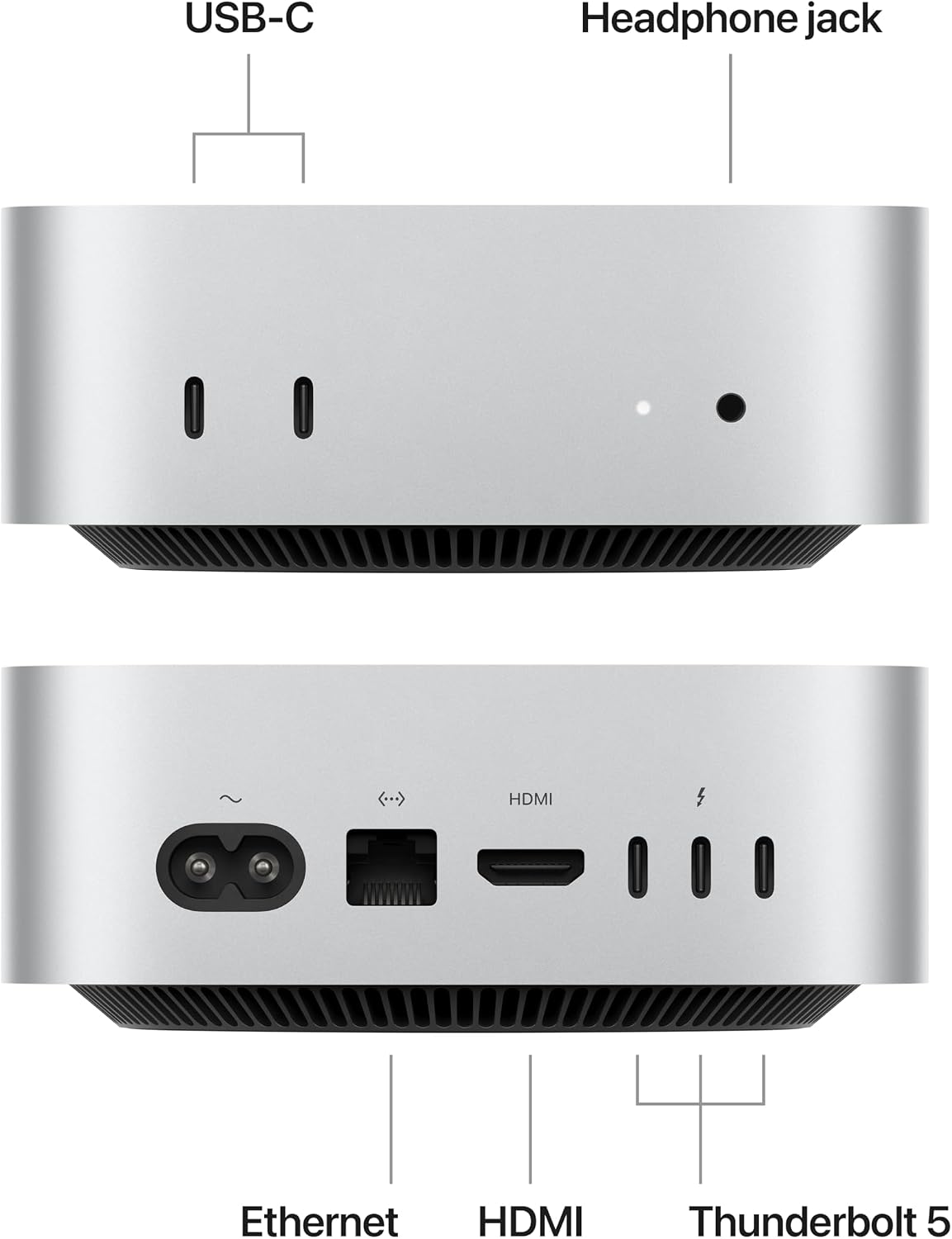
Port layout from Apple’s own listing images. The rear panel is where the port count, the LAN speed, and the USB generations are actually settled.
Quick Verdict
The Mac mini M4 Pro is the Mac mini configuration that starts to make sense as a true workstation and not just as a premium small desktop. It is fast enough for serious development, creative work, and heavier multitasking while keeping the compact and low-noise behavior that makes the Mac mini line appealing.
The catch is still price discipline. This is the model where Apple upgrade pricing can push you straight into premium Windows mini PC territory, which means buyers need to be honest about whether they want a macOS workstation or a more flexible technical platform.
What the M4 Pro Actually Buys You
The M4 Pro is not just a slightly faster base M4. The meaningful jump is memory bandwidth and sustained professional headroom.
Apple gives the M4 Pro line 273GB per second of memory bandwidth versus 120GB on the base M4. That matters in video work, larger creative projects, heavier code builds, and local AI tasks that are sensitive to memory movement. It also matters because the M4 Pro adds Thunderbolt 5, which is a real difference for buyers who move large project files or build around premium external storage.
Tom’s Hardware and Macworld both framed the M4 Pro as a machine that punches far above its size. That matches what the platform is built to do. It still does not turn the Mac mini into a hardware-flexible workstation. It just makes it a much more serious fixed desktop.
CPU and Real Work Performance
The M4 Pro is excellent when your work is CPU-heavy, bursty, and expensive in time rather than in GPU compatibility.
Tom’s Hardware reported Cinebench 2024 multi-core scores rising into the high 1600s on the default power profile and into the high 1700s with high power mode. Macworld also described the M4 Pro as competing comfortably with far larger systems in CPU-heavy tasks while holding onto Apple’s usual single-core advantage.
That puts the Mac mini M4 Pro in a very interesting spot:
- It is overkill for buyers who only browse, code lightly, and do office work
- It is a real workstation for developers, editors, and creative users who stay inside macOS
- It is a premium compact desktop that can feel faster than many Windows mini PCs in day to day work even when those PCs look stronger on paper
Where it stops being a clear win is when your workload depends on gaming support, Linux-first flexibility, or raw memory capacity for local models.
Local AI, Unified Memory, and Where the Ceiling Appears
The Mac mini M4 Pro is much more credible for local AI than the base M4, but it is still not the best answer for every AI buyer.
The 24GB base memory pool and 273GB per second bandwidth help a lot. For local assistant workflows, coding tools, summarization, smaller model serving, and moderate creator AI tasks, the M4 Pro is a clean and efficient machine. It also has the usual Apple advantage of a polished desktop stack and low-noise operation.
The tradeoff is still memory ceiling. Even though 64GB is possible at the top end, Windows mini PCs such as the Beelink GTR9 Pro and GMKtec EVO-X2 AI move much further when your real goal is larger local models. Those systems also make more sense for Linux users, homelab builders, and anyone who wants broader gaming and tooling compatibility.
If your main search term is really about local AI, read Ryzen AI Max+ 395 vs Apple M4 Pro and Best Mini PC for Local LLM. Those explain where Apple efficiency stops being the deciding factor.
Ports, Storage, and the Real Expansion Story
Thunderbolt 5 is the part of the M4 Pro story that Windows mini PC buyers should not dismiss too quickly.
Three rear Thunderbolt 5 ports give the M4 Pro excellent external storage and display flexibility. If your workflow is built around fast external scratch disks, docks, capture devices, and high-end monitors, the Mac mini M4 Pro is easy to like.
The downside is still internal expansion:
- You cannot add RAM later
- You cannot swap to a second internal drive
- You cannot add a second NIC internally
- You cannot turn it into a comfortable Proxmox box the way you can with many premium Windows mini PCs
That means the Mac mini M4 Pro is a workstation appliance. It is not a tinkering platform.
Power and Noise
The M4 Pro remains impressively efficient for its class.
Notebookcheck reported the M4 Pro system averaging about 60 watts during a Cinebench R23 multi-core run. That is the kind of number that explains why Apple’s desktop silicon keeps getting recommended for buyers who care about speed without wanting a bulky or noisy machine.
In practice, that makes the Mac mini M4 Pro attractive for desks that stay active all day. It gives you strong burst and sustained performance without the acoustics and wall-power penalty you usually associate with a compact high-end desktop.
If you care about long-term 24/7 operating cost, compare it with our Mini PC Power Consumption Guide and Best Mini PC for Home Server. Those are the better reads if this machine might double as infrastructure.
Who Should Buy the Mac Mini M4 Pro
Buy it if:
- You want a premium macOS desktop that stays tiny and quiet
- You do heavier professional work than the base M4 was built for
- You value strong single-core speed and very good multi-core performance
- Thunderbolt 5 and external storage matter to your workflow
- You want a fixed workstation and not a configurable lab machine
Who Should Not Buy the Mac Mini M4 Pro
Skip it if:
- You want the best value for local LLM memory capacity
- You need upgradeable RAM or cheaper storage expansion
- You want dual NICs, OCuLink, or better Linux flexibility
- You care about gaming compatibility more than macOS workflow quality
- You are only doing light work that the base M4 already handles easily
Better Alternatives for Different Buyers
For the broad platform comparison, start with Mini PC vs Mac Mini M4.
For the cleanest same-price fight, read Beelink GTR9 Pro vs Mac Mini M4 Pro. If your buying decision is really about local AI and model size, Ryzen AI Max+ 395 vs Apple M4 Pro is the more useful article.
Product Snapshot
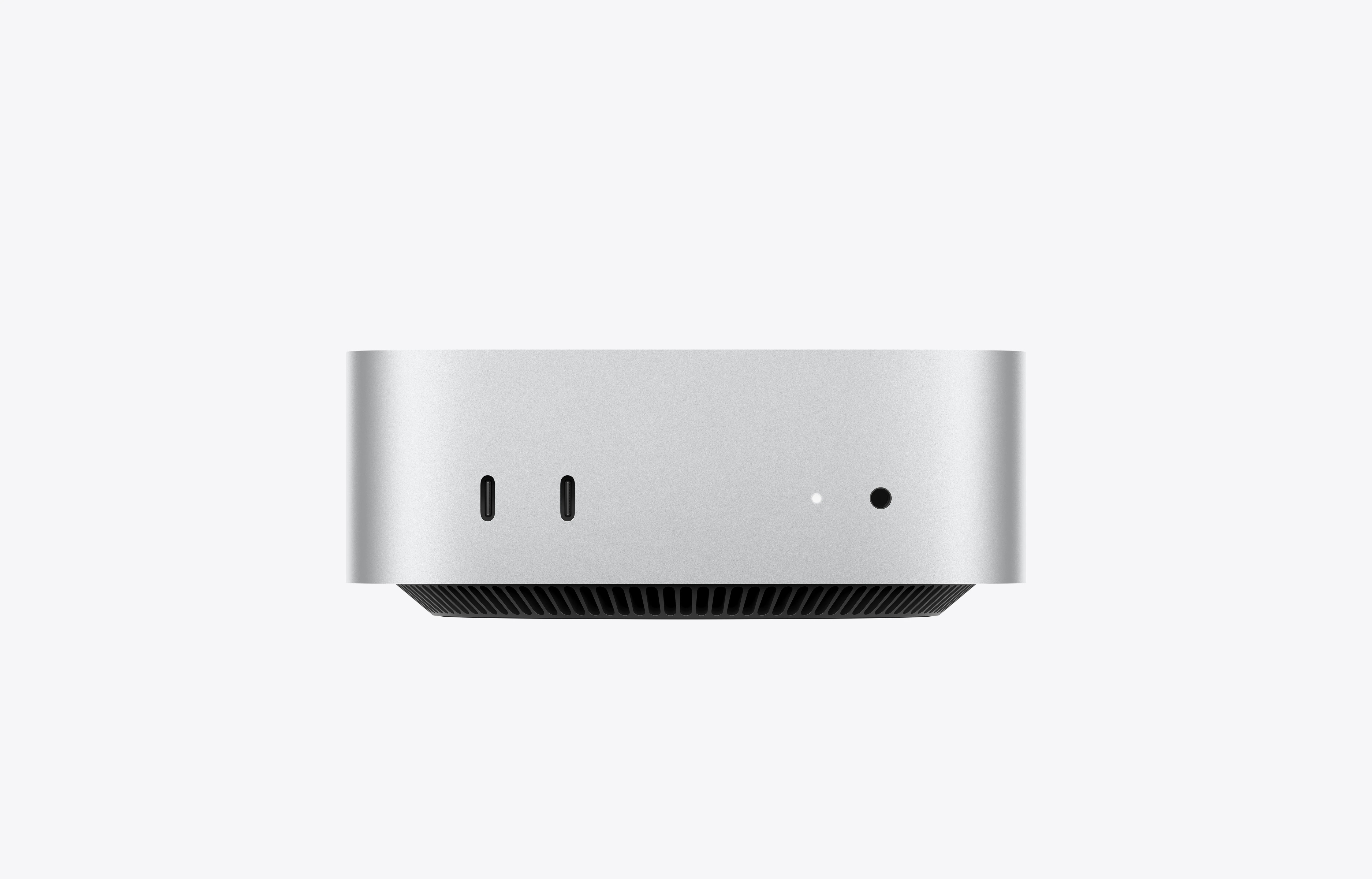
Apple Mac Mini M4 Pro
Pros:
- Renewed Mac mini M4 Pro with 12-core CPU, 16-core GPU, 24GB unified memory, and 512GB SSD. Premium compact macOS workstation.
- The current feature mix still fits the workload this article targets.
- ~$1399-1999 keeps it in the right conversation when the live listing matches the verified notes.
Cons:
- Shared or shifting Amazon listings can hide configuration changes.
- Value falls off quickly if you do not need the hardware features called out above.
Power Consumption at a Glance
Power context: unless a section says otherwise, treat the wattage guidance in this article as planning figures from current listing details or comparable review coverage rather than final measured at wall lab data.
At $0.12/kWh, every 10W of always-on idle draw costs about ~$10.51 per year. Use that rule of thumb when you compare the picks in this article, then confirm the final number with the active listing or your own watt meter.
| Idle Draw | Annual Electricity Cost |
|---|---|
| 10W | ~$10.51/year |
| 20W | ~$21.02/year |
| 30W | ~$31.54/year |
Power context: unless a product section says otherwise, treat wattage references in this article as planning numbers from current listing details or comparable review coverage rather than final measured at wall lab data.
Frequently Asked Questions
Is the Mac mini M4 Pro worth buying in 2026?
Yes if you want a very small macOS desktop with elite single-core speed, strong multi-core performance, Thunderbolt 5, and better memory bandwidth than the base M4. No if you need upgradeable RAM, cheaper storage expansion, or a better local LLM value story.
Is the Mac mini M4 Pro good for local AI?
It is good for lighter and mid-range local AI work, especially if you value power efficiency and the Apple software stack. It is not the best value if your main goal is maximum local model size, because Windows mini PCs with 64GB to 128GB offer much more memory headroom.
What is the difference between the Mac mini M4 and M4 Pro?
The M4 Pro adds more CPU and GPU throughput, much higher memory bandwidth, Thunderbolt 5, and a higher memory ceiling. The base M4 is the better buy for general use, while the M4 Pro is the better fit for heavier professional work.
What is the biggest downside of the Mac mini M4 Pro?
The biggest downside is value after upgrades. The base machine is strong, but once you need more memory or storage, Apple pricing pushes you into direct competition with premium Windows mini PCs that offer far more flexibility.
How We Research These Picks
Every recommendation here is built from verifiable sources rather than bench claims we can’t back up. We verify each product against its live Amazon listing for current price, stock status, and the exact spec configuration, and we cross-check CPU, RAM type, and networking details against manufacturer documentation. Power-draw and performance figures are cited from published measurements by trusted reviewers such as ServeTheHome and Notebookcheck, plus community reports on r/homelab and the Proxmox forums. We also read recent 1-star reviews for every pick to surface thermal, driver, and reliability patterns before you hit them. Picks are re-verified quarterly for availability, pricing, and newer models.
Final Verdict
The Mac mini M4 Pro is a genuinely impressive compact workstation. It keeps the Mac mini’s tiny footprint, adds serious CPU muscle, raises memory bandwidth sharply, and gives you Thunderbolt 5 in a box that still looks almost too small to do real work.
That still does not make it the right answer for every premium buyer. If you want maximum memory for local AI, internal flexibility, homelab networking, or Linux-first experimentation, premium Windows mini PCs are often the smarter buy. If you want a polished, compact, low-noise macOS workstation and you know exactly what memory and storage you need upfront, the M4 Pro makes a lot of sense.
Amazon Product Links
- Apple Mac mini M4 Pro renewed: Check Renewed Price