
GMKtec M6 Ultra review for a two-drive home server
By Max · October 21, 2026 · Updated November 18, 2026
This article contains affiliate links. If you purchase through our links, we may earn a commission at no extra cost to you. We only recommend products we’ve thoroughly researched and verified.
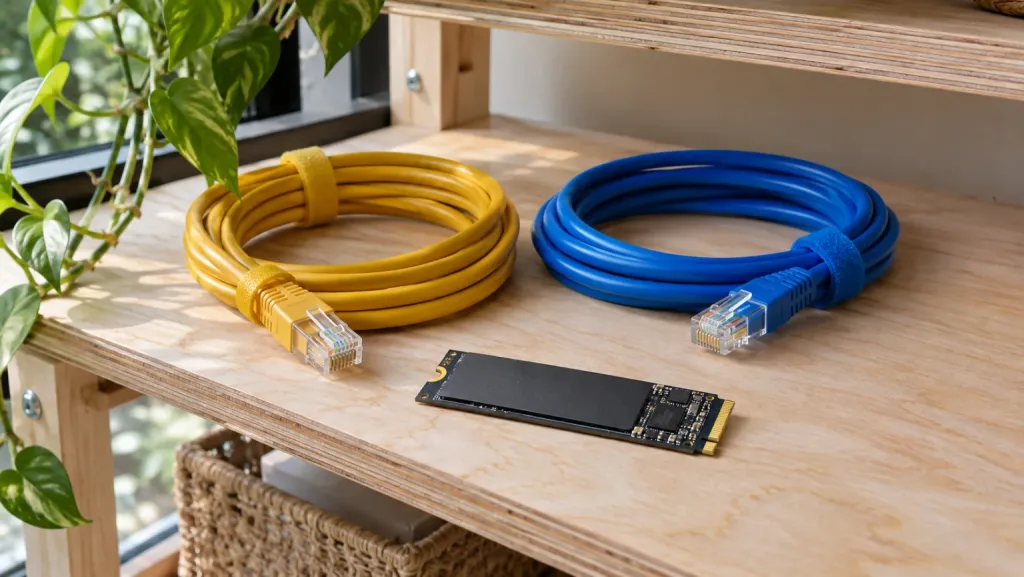
A compact Docker host needs somewhere for the containers, somewhere for their data and a way to recover both. The GMKtec M6 Ultra can handle the first two jobs internally. Its third useful connection is on the back. With a second Ethernet port you can give backup traffic its own path to a NAS, while clients continue to reach your services over the main LAN.
GMKtec M6 Ultra
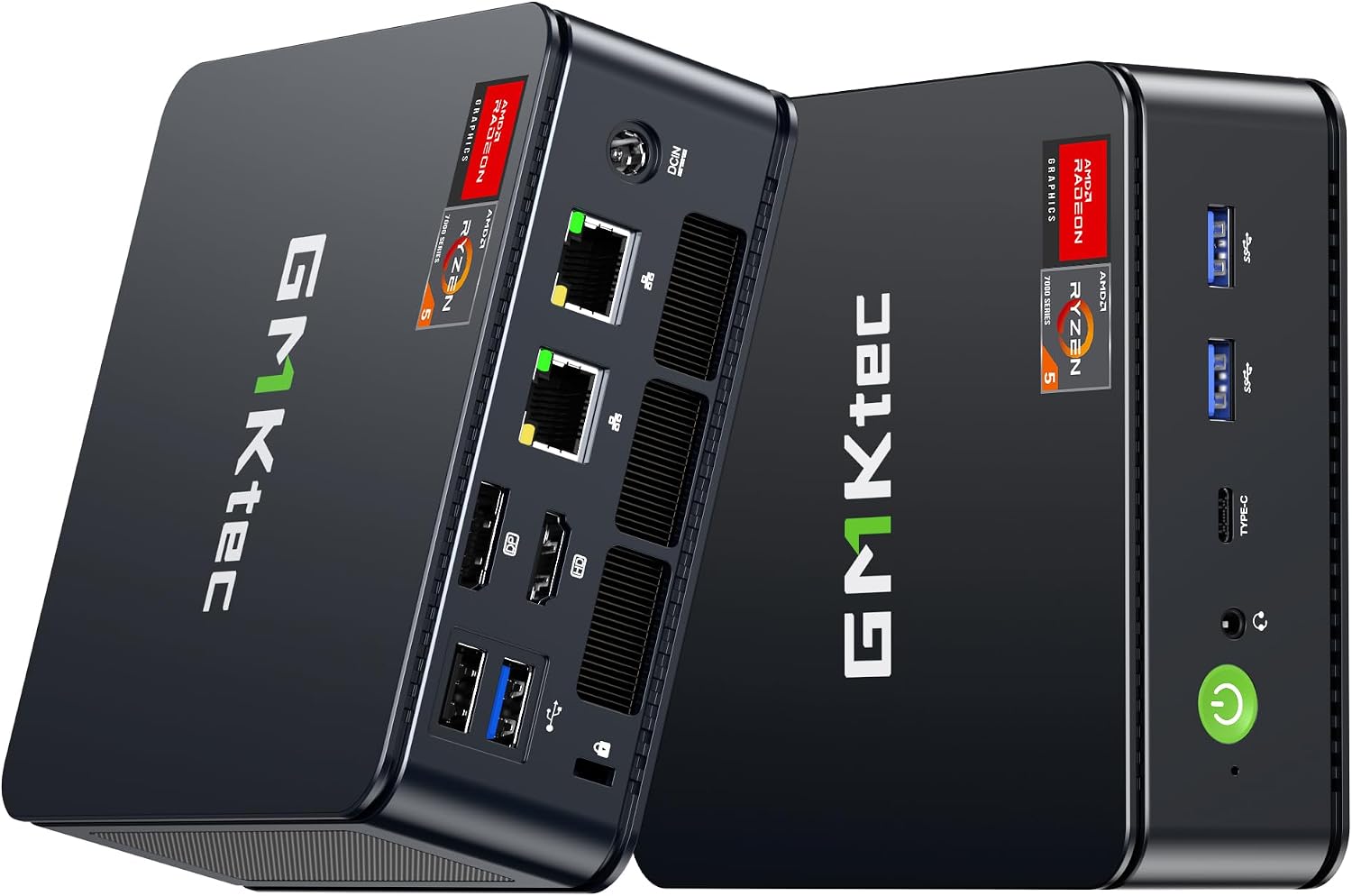
The linked Ryzen 5 7640HS configuration has 32GB of replaceable DDR5, a 512GB system SSD and one empty SSD socket. Notebookcheck reviewed a 32GB machine with a 1TB SSD. Its wall-power readings help size an always-on installation, but its drive benchmarks describe a different bundle.
Check the 32GB and 512GB M6 Ultra configuration on Amazon
We compared the board layout shown in GMKtec’s installation graphic with the systems opened by Notebookcheck and TechRadar. That distinction matters here because the manufacturer’s storage table can be read as promising an extra drive position.
GMKtec M6 Ultra specifications
| Component | Specification |
|---|---|
| Processor | AMD Ryzen 5 7640HS, 6 cores / 12 threads, 4.3 GHz base, up to 5.0 GHz boost |
| Architecture | Zen 4, Phoenix-HS, TSMC 4nm process |
| Graphics | AMD Radeon 760M, RDNA 3, 8 graphics cores, up to 2,600 MHz |
| Memory | 32GB DDR5 in two SO-DIMM slots, listed at 4,800 MT/s |
| Maximum memory | GMKtec claims support up to 128GB |
| Storage | Two M.2 2280 sockets total, one occupied by the supplied 512GB SSD |
| Networking | Dual 2.5GbE, Wi-Fi 6E per GMKtec and Notebookcheck, Bluetooth 5.2 |
| USB and display | One USB4 40Gbps, three USB 3.2 Gen 2, one USB 2.0, HDMI 2.0, DisplayPort |
| Power | External 120W adapter, 19V / 6.32A |
| Dimensions | 128.8 x 127 x 47.8 mm |
| Weight | About 528 g with the barebones configuration listed by GMKtec |
| Operating system | Windows 11 Pro |
The Amazon configuration we verified includes 32GB of DDR5 and a 512GB SSD. A buyer comparing it with the 1TB review sample should include any replacement SSD in the build cost.
A six-core Zen 4 platform in a compact chassis
The Ryzen 5 7640HS is a six-core, 12-thread Zen 4 processor with a boost clock of up to 5.0 GHz. It is not the newest AMD mobile platform, but it remains a sensible fit for office work, development, light content creation, and a small server that needs more CPU headroom than an entry-level four-core chip.
Notebookcheck recorded a PCMark 10 score of 6,448. In its Cinebench R15 multi-core endurance loop, the M6 Ultra averaged 1,844 points. The reviewer reported stable performance without a significant loss of power through the loop, with the processor reaching about 89 degrees Celsius under full load.
Those numbers describe Notebookcheck’s 32GB and 1TB sample. They are useful comparison points, not results from our own bench. They also do not mean the M6 Ultra will match a newer eight-core or 12-core system in sustained compiling, encoding, or virtual-machine workloads.
For a home server, the six cores are enough for a useful collection of services. Docker containers, a firewall, DNS, monitoring, and a few light virtual machines are within the platform’s intended range. The two Ethernet ports are often more valuable than another small increase in CPU speed. Our dual-NIC mini PC homelab guide explains where a second network interface helps and where a USB adapter is sufficient.
Radeon 760M is for sensible gaming settings
The integrated Radeon 760M has eight graphics cores and a listed clock of up to 2,600 MHz. It shares system memory with the processor, which makes dual-channel installation important. The supplied 32GB configuration gives the graphics engine a reasonable memory pool, but system RAM is still slower than dedicated graphics memory and is shared with the operating system.
Notebookcheck describes the Radeon 760M as adequate for multimedia, everyday use, and casual gaming. Its comparison shows the GPU clearly behind newer integrated solutions such as the Radeon 890M. That is the right framing for this machine: it can handle esports games, older releases, and modern titles at reduced settings, but it is not a high-end gaming replacement.
USB4 makes an external graphics enclosure possible for users who want a compact desk system that can gain more graphics power later. The connection is convenient, but an external GPU, enclosure, and separate power supply can cost more than the M6 Ultra itself. If gaming is the main reason you are shopping, start with our gaming mini PC guide and treat the M6 Ultra as a general-purpose option.
Budget for one empty SSD socket
GMKtec’s installation graphic labels two physical M.2 2280 sockets. TechRadar found room for one more drive alongside the supplied SSD, and Notebookcheck describes the same expansion limit. GMKtec’s table lists the system SSD separately from its dual-slot expansion specification. Plan for two drives in total. A third internal NVMe drive would require a different host.
| Build choice | What goes where | What you give up |
|---|---|---|
| Keep the supplied boot disk | System and containers on the 512GB drive, active data on the added SSD | The data drive has no internal mirror |
| Mirror two suitable drives | Boot and guest storage share the mirrored pair | Usable mirrored capacity is limited by the smaller drive |
| Keep bulk files on a NAS | Local SSDs hold the OS and recent working data | Recovering NAS-hosted files depends on the network and NAS backup |
For a first Docker deployment, size the second drive from the data you retain, including image libraries and database growth. Leave room for updates and temporary files. If the service holds the only copy of a family’s photos, put backup storage on another machine and try restoring a folder before trusting the arrangement.
The 32GB kit uses two 16GB modules. An example budget for a small host is 8GB reserved for the host, two 8GB guests and 8GB left for other services and overhead. Measure the guests during their busiest overlapping jobs before expanding RAM. Replacing both sticks costs more than filling an empty slot. For container-first builds, see our Docker hardware guide. Our GMKtec model guide and comparison tool cover alternatives if you need more internal drives.
Dual 2.5GbE for a useful homelab role
Two 2.5GbE ports are the M6 Ultra’s clearest server feature. One port can connect to the main LAN while the other handles a management network, storage segment, virtual-machine bridge, or firewall interface. That does not make the box a managed switch or a dedicated router, but it removes the need for a second network adapter in many small deployments.
Notebookcheck identifies two Realtek 2.5GbE controllers. Realtek networking is common and works well for many Windows deployments, but anyone planning Linux, Proxmox, or a firewall appliance should confirm driver and power-management behavior for the intended operating system. A network interface that works in the factory Windows image is not automatically a perfect choice for every hypervisor.
The M6 Ultra has no SATA bays and no 10GbE. It is therefore better suited to services, VMs, and fast network access to an existing NAS than to a standalone storage appliance. For a broader hardware decision, compare its role with the best mini PC for home server recommendations.
USB4, three displays, and the rear panel
The full-function USB4 port supports 40Gbps transfer, DisplayPort output, and Power Delivery input according to GMKtec. It can connect a fast external SSD, a dock, or a compatible external graphics enclosure. There is only one USB4 port, so buyers who need several high-speed USB-C connections should add a dock or choose a system with more than one.
GMKtec lists triple-display output through HDMI, DisplayPort, and USB4. The official specification describes up to 8K output, while HDMI 2.0 is listed for up to 4K at 60Hz. Actual combinations depend on the display hardware, cables, drivers, and whether USB4 is also carrying data.
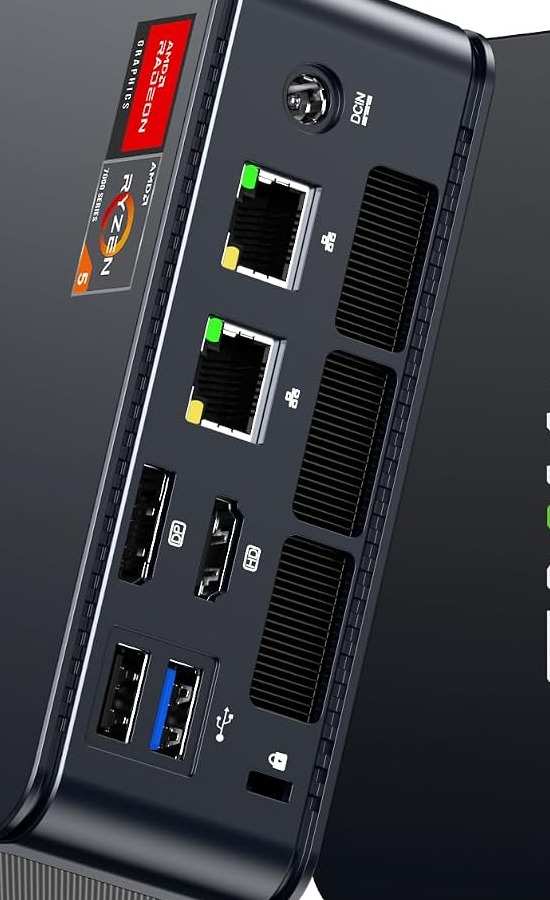
Both Ethernet cables plug into the rear, leaving the front USB4 port accessible on a shelf.
The rear panel carries the two Ethernet ports, HDMI, DisplayPort, two USB-A ports, the DC input, and the security lock. The front panel adds the USB4 port, two USB-A ports, the audio jack, and the power button. That layout keeps frequently swapped peripherals accessible while leaving network, display, and power cables at the back.
Wi-Fi 6 versus Wi-Fi 6E needs a note
The current Amazon title says Wi-Fi 6 and Bluetooth 5.2. GMKtec’s official product page says Wi-Fi 6E, and Notebookcheck found a MediaTek Wi-Fi 6E MT7922 card in its review unit. Notebookcheck measured an average of 1,464 Mbps transmit and 1,775 Mbps receive in its cited 6 GHz test setup.
We would treat Wi-Fi 6E as the better-supported model specification, but the Amazon title conflict is worth keeping visible. Wireless modules can change between configurations, and the listing is the buying page for the exact unit. If 6 GHz access is essential, confirm the wireless hardware with the seller before ordering.
For a server, wired networking remains the better default. Wi-Fi 6E is useful for a desktop, media client, or temporary deployment, while dual 2.5GbE is the feature to use for predictable service traffic and network segmentation.
Cooling, power, and fan behavior
The M6 Ultra uses an external adapter rated at 120W. That is enough for the six-core processor, integrated graphics, two M.2 drives, and normal USB devices. An external adapter also means the heat from power conversion stays outside the small chassis, though it adds one more item to the desk.
Notebookcheck measured 8.8W minimum idle power, 9.5W average idle power, and 11.8W maximum idle power. Under load, the system averaged 69.6W and reached a maximum of 74.8W. These are measurements from the review configuration with its power adapter, not a promise for every memory, SSD, display, or USB setup.
Surface temperatures were reasonable but not especially cool. Notebookcheck recorded an average upper-surface temperature of 38.6 degrees Celsius under load and a maximum of 43.6 degrees Celsius. The reviewer also described the fan control as immature. That is the main reason we would not choose the M6 Ultra for a silent-room workstation without first checking the exact fan profile.
Use our mini PC power cost calculator to estimate the annual cost with your local electricity rate. A small idle draw helps when the M6 Ultra runs continuously, but attached drives, displays, and USB devices can change the total considerably.
Who should buy the GMKtec M6 Ultra?
- Buyers who want six Zen 4 CPU cores in a compact and upgradeable system
- Homelab users who can use dual 2.5GbE for separate networks or virtual-machine bridges
- Owners who want a second internal SSD socket instead of relying on external storage
- Desktop users who need USB4, triple-display support, and a small footprint
- Casual gamers who are comfortable with sensible integrated-graphics settings
- Buyers who plan to run Docker, light Proxmox workloads, or network services beside ordinary desktop apps
Who should skip the GMKtec M6 Ultra?
- Buyers who need 10GbE, SATA bays, or a dedicated NAS chassis
- Gamers who expect high settings or dependable 4K performance from integrated graphics
- Anyone who requires multiple USB4 ports or a full-size internal expansion slot
- Users who need confirmed Wi-Fi 6E hardware and cannot tolerate the listing conflict
- Buyers who want a near-silent workstation under sustained load
- People who only need light office work and will not use the second network port or M.2 expansion
Frequently asked questions
How many SSDs fit inside the M6 Ultra?
Two M.2 2280 SSDs in total. With the supplied 512GB drive in place, one socket is free. The installation graphic and independent inspections agree on that layout.
Can I replace the installed memory?
Yes. The 32GB bundle uses two 16GB DDR5 SO-DIMMs. Both sockets are occupied. GMKtec lists a 128GB maximum, so check module support before buying a replacement pair.
Does the M6 Ultra include Wi-Fi 6E?
The linked retail configuration says Wi-Fi 6. GMKtec lists Wi-Fi 6E and Notebookcheck tested a MediaTek MT7922 on 6 GHz. Ask the seller to confirm the module if access to that band matters.
Is there an OCuLink connector?
No. The front USB4 connector is the high-speed expansion path for a compatible external graphics enclosure, SSD or dock.
What can I use the second Ethernet port for?
Give a NAS its own link or bridge selected guests to a second physical network. Each interface supports 2.5GbE. A single ordinary file transfer does not automatically use both.
How much electricity does it use at idle?
Notebookcheck measured 9.5W average idle on its 32GB and 1TB sample. Held there for a full year, that would use about 83 kWh before adding drives, peripherals or time under load.
If the second Ethernet port matters more than USB4, the M5 Ultra review prices the decision in parts. Its smaller bundle leaves one memory socket free.
Verdict
The GMKtec M6 Ultra is a well-focused compact mini PC. Six Zen 4 cores, upgradeable DDR5, two M.2 sockets in total, dual 2.5GbE, and USB4 give it a clear role as a small workstation or homelab host. It is easier to recommend for networking and storage expansion than a basic office box with one Ethernet port and one SSD socket.
The limits are just as clear. Radeon 760M is an entry-level integrated graphics solution for current gaming, the fan behavior may need tuning, the system has no SATA bays or 10GbE, and the Wi-Fi 6 versus Wi-Fi 6E listing language is inconsistent. GMKtec’s 128GB memory figure is also a support claim rather than an independently verified result.
We recommend the M6 Ultra for buyers who will use its dual network ports, second M.2 socket, or USB4. It makes less sense as a simple office computer, a silent media box, or a gaming-first system. Check the current configuration carefully, then use the GMKtec M6 Ultra Amazon listing if its expansion layout matches your plan.