
Best Mini PC 2026 — Our Top Picks By Budget And Use Case
By Max · May 2, 2026 · Updated June 29, 2026
This article contains affiliate links. If you purchase through our links, we may earn a commission at no extra cost to you. We only recommend products we’ve thoroughly researched and verified.

The best mini PC in 2026 depends far more on your workload than on the biggest spec number on an Amazon listing. Some buyers need a compact gaming box with a strong Radeon iGPU. Some need dual NICs for Proxmox, OPNsense, or a small home lab. Others want a flagship AI system with enough memory for local models and serious desktop work.
This shortlist stays narrow on purpose. Every pick below is a machine whose listing, configuration, and specs we checked against Amazon and the manufacturer’s own documentation. Where a spec is not verified in those sources, we do not invent it.
If your search is narrower than a broad best mini PC 2026 roundup, start with Best Mini PC for Home Server, Best Gaming Mini PC 2026, or Best AI Mini PC. Those guides map better to buyers searching for the best mini PC for home server 2026 or the best mini PC for local LLM 2026.
Quick Picks: Best Mini PC 2026 At A Glance
| Pick | Mini PC | Best For | Current Research Price | Link |
|---|---|---|---|---|
| 🥇 Best Overall | GMKtec K12 | The best balance of gaming, networking, and expansion | ~$499 | Check Price |
| 🧠 Best Premium AI Pick | Beelink GTR9 Pro | Buyers who want Ryzen AI Max+ 395 and dual 10GbE | ~$1,499 | Check Price |
| 🎮 Best Gaming Value | BOSGAME P3 | Buyers who want Ryzen 7 7840HS without crossing $400 | ~$399 | Check Price |
| 💰 Best Under $350 | KAMRUI H1 | Lower-cost Ryzen 7 desktop and light gaming use | ~$329 | Check Price |
| 🛠️ Best Budget Homelab Pick | GMKtec G10 | Cheap x86 node with single 2.5GbE for light server work | ~$189 | Check Price |
| 🪙 Cheapest AMD Pick | KAMRUI AM06PRO | Lowest-cost AMD desktop for very light workloads | ~$139 | Check Price |
How We Research These Picks
Every recommendation here is built from verifiable sources rather than bench claims we can’t back up. We verify each product against its live Amazon listing for current price, stock status, and the exact spec configuration, and we cross-check CPU, RAM type, and networking details against manufacturer documentation. Power-draw and performance figures are cited from published measurements by trusted reviewers such as ServeTheHome and Notebookcheck, plus community reports on r/homelab and the Proxmox forums. We also read recent 1-star reviews for every pick to surface thermal, driver, and reliability patterns before you hit them. Picks are re-verified quarterly for availability, pricing, and newer models.
What Matters In A Mini PC In 2026
CPU tier still sets the floor. A cheap mini PC can feel fine for browser work and media playback, then fall apart once you ask it to run Docker, local game clients, or multiple background apps. Ryzen 7 and Ryzen 9 boxes still offer the best all-round headroom in this batch.
Memory type matters almost as much as memory size. Upgradeable DDR5 is still the safer mainstream choice. LPDDR5 and LPDDR5X can be very fast, but they usually lock you into the capacity you buy on day one.
Networking is one of the biggest hidden separators. Single 2.5GbE can be enough for a simple home server or desktop. Dual 2.5GbE or dual 10GbE changes the kind of work the box can do in a homelab.
Do not ignore expansion. Extra M.2 slots, USB4, and higher-end port layouts often matter more over three years than a small benchmark lead on launch day.
When A Mini PC Is The Wrong Choice
Mini PCs are excellent when you want a compact desktop, a small home lab node, or a living-room-friendly gaming box. They are a poor fit when you need large internal storage arrays, desktop GPU upgrades inside the chassis, or server-class remote management.
If your plan involves five hard drives, ECC-first storage goals, or a large virtualized lab with many always-on services, a NAS appliance, tower workstation, or used enterprise desktop may be the smarter buy.
Best Mini PC by Budget
Price is the first filter most buyers apply, and each tier has a genuinely different best answer — there is no single “best mini PC,” only the best for your budget and workload.
| Budget | What you get | Recommended pick |
|---|---|---|
| Under $200 | N-series, light desktop + a few services | KAMRUI AM06PRO or Beelink MINI S12 |
| $200–350 | Older Ryzen or N-series, everyday use | GMKtec G10 or KAMRUI H1 |
| $350–650 | Current Ryzen, Radeon 780M, homelab + light gaming | GMKtec K12 or BOSGAME P3 |
| $650–1000 | 8-core Ryzen 9, 64GB-capable, serious homelab | See our home server picks |
| $1000+ | Flagship Ryzen AI Max+, gaming and local AI | Beelink GTR9 Pro |
Spend to the workload, not the ceiling: a $200 N150 box runs Pi-hole, backups, and a couple of containers indefinitely, while only AI and 4K gaming justify the $1000+ tier. For the cheapest capable always-on server, the under-$200 tier is enough; for VMs and transcoding, step up to the $350–650 range. Estimate the running cost of any pick with our power cost calculator.
Our Top Picks
🥇 Best Overall
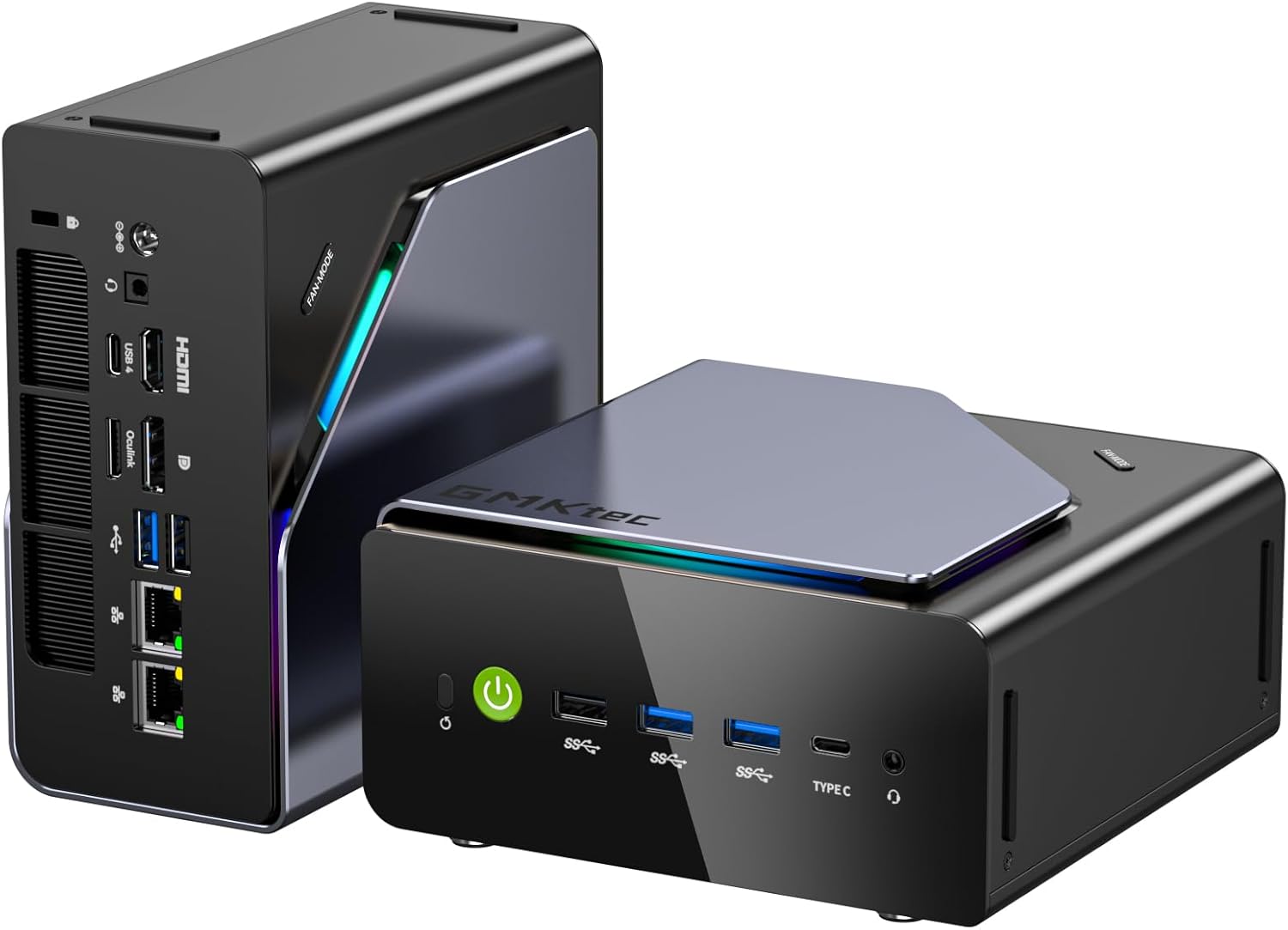
GMKtec K12
→ Check Current Price on Amazon
The GMKtec K12 is the easiest mainstream recommendation in this batch because it does several useful things at once. The verified configuration gives you Ryzen 7 H255, 32GB DDR5, Radeon 780M graphics, 3 M.2 slots, and dual 2.5GbE. That is a better mix than most mini PCs near $500.
Why it lands at the top:
- It covers more use cases than the cheaper boxes without jumping to flagship pricing.
- Radeon 780M is still one of the safest integrated graphics options for 1080p gaming and general creator use.
- Dual 2.5GbE and triple M.2 make it much more flexible than a typical office-focused mini PC.
Who should buy it:
- Buyers who want one mini PC that can handle gaming, desk work, and light homelab duties.
- Buyers who care about expansion and do not want to start with a stripped-down chassis.
- Buyers who want a stronger long-term option than low-end N-series or older Ryzen U-series boxes.
Who should skip it:
- Buyers who specifically want local AI flagship hardware.
- Buyers who only need the cheapest acceptable desktop.
- Buyers who need a guaranteed sub-$400 price ceiling.
Who should buy this: Buy it when you want one mini PC that covers gaming, desktop work, and homelab networking without compromise. The dual 2.5GbE and triple M.2 are what separate it from the BOSGAME P3 at a similar price — if those extras matter to your setup, the K12 is the cleaner long-term buy.
Who should skip this: Skip it if your budget is firm under $400 — the BOSGAME P3 gives you Ryzen 7 gaming performance without the networking premium. Also skip it if AI flagship hardware is the actual goal; that’s the GTR9 Pro’s territory at a completely different price tier. 🧠 Best Premium AI Pick
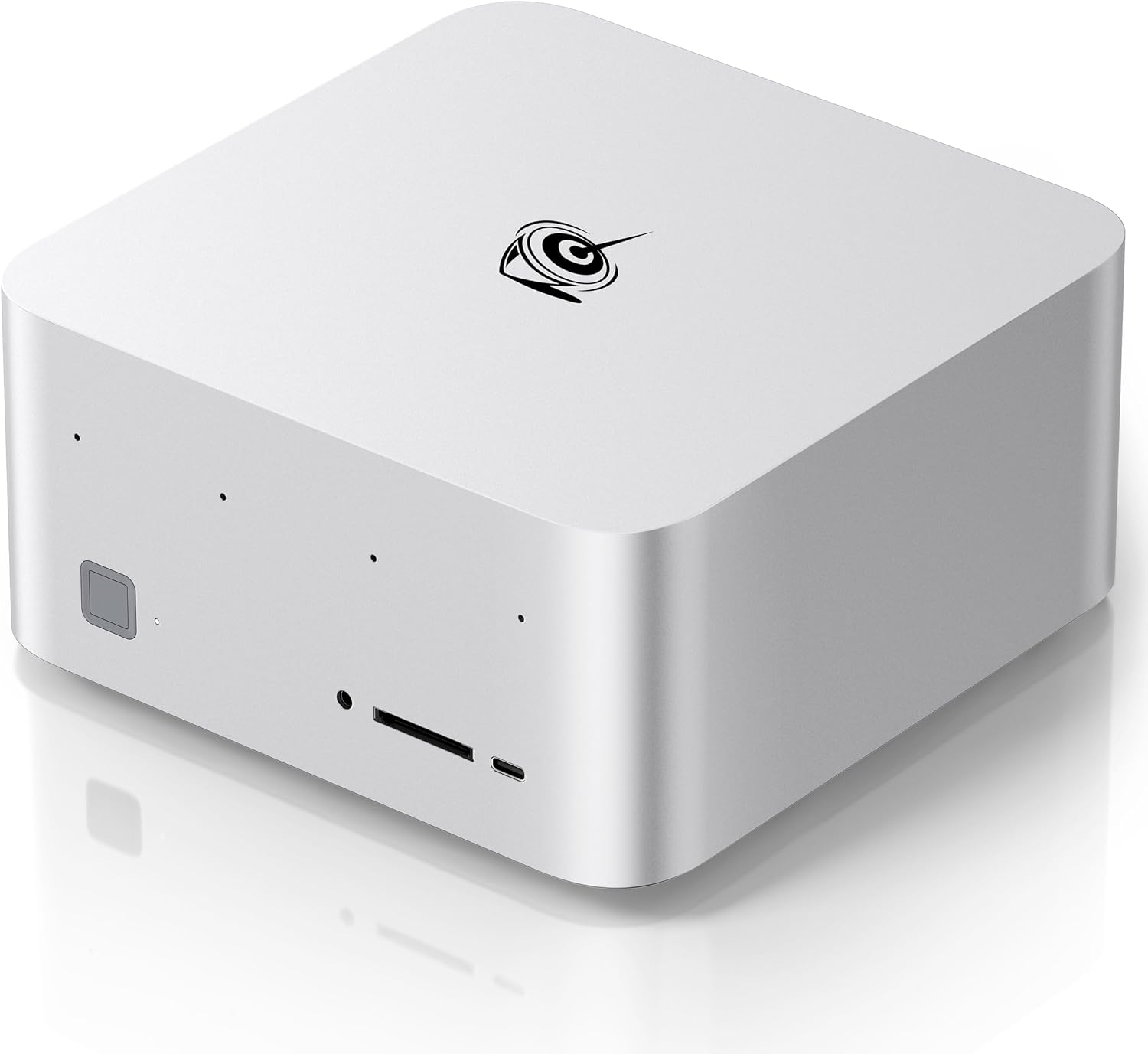
Beelink GTR9 Pro
→ Check Current Price on Amazon
The Beelink GTR9 Pro is not the right answer for everybody, but it is the premium answer if you want a flagship mini PC in 2026. The verified spec set is unusually strong: Ryzen AI Max+ 395, 128GB memory, dual 10GbE, WiFi 7, and dual USB4.
Why it stands out:
- Dual 10GbE is rare even on expensive mini PCs.
- 128GB memory and the Ryzen AI Max platform put it in a completely different class from mid-range Ryzen 7 systems.
- It makes sense for buyers who want one small box for AI, high-end desktop work, and serious networking.
Who should buy it:
- Buyers who know they need Ryzen AI Max+ 395 and the memory headroom that comes with it.
- Buyers building a premium workstation-style mini PC rather than a budget value system.
- Buyers who will actually use the networking and memory advantages.
Who should skip it:
- Almost everyone shopping under $1,000.
- Buyers who mainly want 1080p gaming or a compact office desktop.
- Buyers who do not need premium AI hardware or dual 10GbE.
Who should buy this: Buy it when local LLM inference at 70B+ scale, dual 10GbE for homelab switching, or Ryzen AI Max+ 395 performance are actual requirements — not nice-to-haves. The 128GB unified memory pool and the networking spec justify the $1,499 price only when you’ll use both regularly.
Who should skip this: Skip it if your budget is anywhere under $1,000. The K12 at $499 handles gaming, Docker, and light homelab work without paying a 3x premium. The GTR9 Pro only makes sense when you’ve exhausted what mid-range Ryzen 7 can do and specifically need the memory and networking headroom it provides. 🎮 Best Gaming Value
BOSGAME P3

→ Check Current Price on Amazon
The BOSGAME P3 is one of the more sensible mid-range gaming picks because the verified configuration is still strong where it matters most: Ryzen 7 7840HS, 32GB DDR5, and WiFi 6E. The catch is important and should not be glossed over. This box uses dual Gigabit Ethernet, not dual 2.5GbE.
Why it makes the list:
- Ryzen 7 7840HS remains a very good performance tier for gaming and multipurpose use.
- 32GB DDR5 keeps it relevant longer than many lower-cost 16GB systems.
- ~$399 is still attractive for a mini PC at this class.
Who should buy it:
- Buyers who mostly care about desktop and gaming performance.
- Buyers who want strong value below the K12 tier.
- Buyers who do not care much about advanced homelab networking.
Who should skip it:
- Buyers who specifically want dual 2.5GbE.
- Buyers whose top priority is storage expansion or AI hardware.
Who should buy this: Buy it when gaming and desktop performance matter most and your budget is firm under $400. Ryzen 7 7840HS handles 1080p gaming, video editing, and heavy browser workloads well, and 32GB DDR5 keeps it relevant for longer than the 16GB alternatives in this price band.
Who should skip this: Skip it when homelab networking is part of the plan — the P3 only gets dual Gigabit, not 2.5GbE. The K12 adds dual 2.5GbE and a newer Zen 4 chip for roughly $100 more, which is a meaningful step up if you plan to run Proxmox, TrueNAS, or OPNsense alongside a desktop workload. 💰 Best Under $350
KAMRUI H1

→ Check Current Price on Amazon
The KAMRUI H1 is the kind of box that matters in a broad 2026 roundup because not everybody wants to spend $500 or more. The verified configuration gives you Ryzen 7 7735HS, 24GB LPDDR5, and 1TB NVMe at roughly $329 in the research notes.
Why it deserves attention:
- It brings real Ryzen 7 class performance lower in the price stack.
- 24GB memory is more practical than the 16GB ceiling common in entry systems.
- It can serve as a gaming box, general desktop, or secondary lab node depending on your expectations.
The main tradeoff is platform polish. At this price tier, you buy for value first. That means you need to care more about seller consistency and less about long-term premium support.
Who should buy this: Buy it when you want real Ryzen 7 performance under $350 and 24GB is sufficient for your workload. It suits light gaming, general desktop use, and secondary server duty where you won’t need to expand RAM later.
Who should skip this: Skip it if RAM expandability is important — LPDDR5 is soldered and 24GB is the ceiling with no upgrade path. The BOSGAME P3 at around $50 more gives you DDR5 SO-DIMM with an upgrade path to 64GB, which matters over a 3-year ownership window. 🛠️ Best Budget Homelab Pick
GMKtec G10

→ Check Current Price on Amazon
The GMKtec G10 is one of the more interesting low-cost picks in the batch because the verified configuration is unusually useful for light homelab work. Ryzen 5 3500U, 16GB memory, 512GB storage, and a single 2.5GbE port is a more compelling combination than many similarly priced low-end Intel boxes if your goal is Proxmox, small services, or general Linux use.
Why it makes sense:
- Single 2.5GbE is much more useful for server work than plain Gigabit at this price.
- Ryzen 5 3500U is old, but it can still be more interesting for lightweight lab use than ultra-budget N-series systems.
- ~$189 is low enough that it works as a dedicated secondary node.
Who should buy it:
- Buyers who want a cheap x86 box for Proxmox, Pi-hole, Home Assistant, or Docker.
- Buyers who value 2.5GbE more than brand cachet.
Who should skip it:
- Buyers who want a serious gaming mini PC.
- Buyers who expect flagship power efficiency or premium fit and finish.
Who should buy this: Buy it when you need a dedicated single-purpose homelab node at under $200. Pi-hole, Home Assistant, AdGuard, or a small Docker Compose stack running a handful of lightweight containers all work fine on this hardware, and the 2.5GbE port makes it more useful than similarly priced N-series boxes for server traffic.
Who should skip this: Skip it for gaming or anything CPU-intensive — Ryzen 5 3500U is a 2019 chip and it shows under heavier workloads. The KAMRUI H1 at $329 gives you a 2024-era Ryzen 7 for actual gaming and general desktop use if the G10’s low price isn’t the primary draw. 🪙 Cheapest AMD Pick
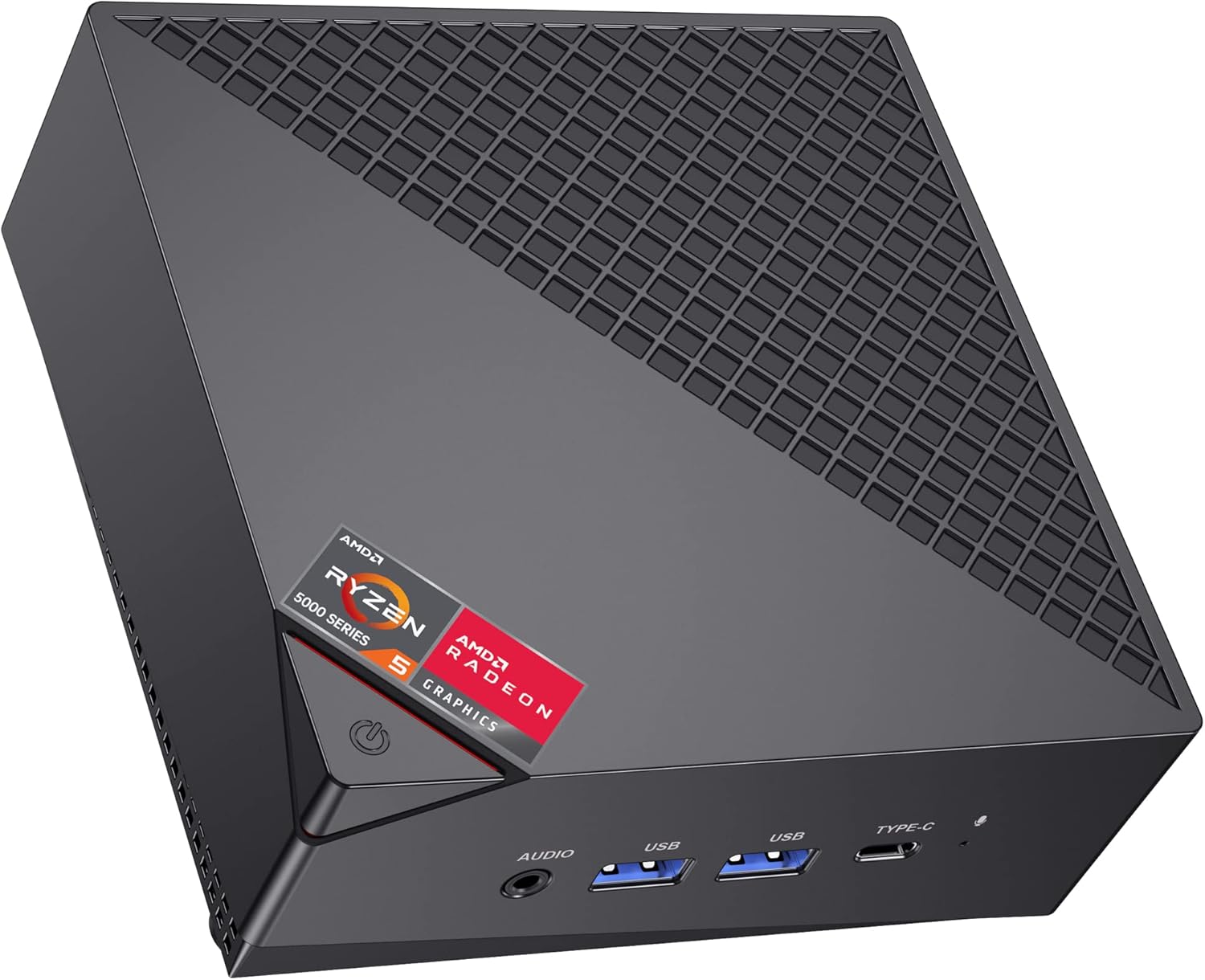
KAMRUI AM06PRO
→ Check Current Price on Amazon
The KAMRUI AM06PRO only belongs in this roundup for one reason: price. In the April research notes it sits ~$139, which gives it a place for buyers who want an AMD mini PC at the lowest possible entry cost.
This is not the pick for ambitious buyers. It is the pick for someone who needs a very cheap desktop, a light-use utility box, or a low-stakes experiment platform.
That also means expectations need to stay realistic. If you know you want gaming, virtualization headroom, or a serious long-term home server, spending more up front is the smarter move.
Who should buy this: Buy it when $139 is the hard ceiling and the workload is genuinely light — web browsing, media playback, basic office tasks, or a low-stakes experiment box. It fills that specific slot and nothing more.
Who should skip this: Skip it for almost everything else. At roughly $50 more, the GMKtec G10 adds 2.5GbE and a more useful homelab platform. At $329, the KAMRUI H1 gives you actual Ryzen 7 performance. The AM06PRO is a price-only decision, not a value decision.
What We Would Buy At Different Budgets
If your budget is ~$150, buy the cheapest box only if your workload is light and fixed. That is where the AM06PRO makes sense.
If your budget is ~$200, the GMKtec G10 is more interesting because it opens the door to light homelab use instead of only basic desktop duty.
If your budget is ~$300 to $400, the KAMRUI H1 and BOSGAME P3 are the clearer value zone depending on whether you want lower price or the stronger mid-range Ryzen 7 platform.
If your budget is closer to $500, the K12 is the point where a general mini AI PC or homelab desktop starts to feel flexible instead of compromised.
Related Reading
- Best Mini PC for Home Server if your priority is Docker, Proxmox, and always-on lab work.
- Best Gaming Mini PC 2026 if you care more about Radeon graphics and upgrade path than general desktop value.
- Best AI Mini PC if your shortlist is really about local LLM or mini AI PC use.
- The budget tier in this guide covers the strongest cheap picks before you move into the mid-range.
If your budget is ~$500, the GMKtec K12 is the best all-round stopping point in this batch.
If your budget is above $1,000 and you specifically care about premium AI hardware and networking, the Beelink GTR9 Pro is where the conversation changes.
Product Snapshot
GMKtec K12
Specs:
| Spec | Detail |
|---|---|
| Key Hardware | Ryzen 7 H255 mini PC with 32GB DDR5, Radeon 780M, 3x M.2, dual 2.5GbE, and OCuLink-style buyer appeal for gaming and homelab versatility. |
| Listing Check | Verify the exact variant, RAM type, storage layout, and networking before you buy. |
| Price | ~$499 |
Pros:
- Ryzen 7 H255 mini PC with 32GB DDR5, Radeon 780M, 3x M.2, dual 2.5GbE, and OCuLink-style buyer appeal for gaming and homelab versatility.
- The current feature mix still fits the workload this article targets.
- ~$499 keeps it in the right conversation when the live listing matches the verified notes.
Cons:
- Shared or shifting Amazon listings can hide configuration changes.
- Value falls off quickly if you do not need the hardware features called out above.
Beelink GTR9 Pro
Specs:
| Spec | Detail |
|---|---|
| Key Hardware | Ryzen AI Max+ 395 flagship with 128GB memory, dual 10GbE, WiFi 7, and USB4 for buyers who want a premium AI and workstation-class mini PC. |
| Listing Check | Verify the exact variant, RAM type, storage layout, and networking before you buy. |
| Price | ~$1499 |
Pros:
- Ryzen AI Max+ 395 flagship with 128GB memory, dual 10GbE, WiFi 7, and USB4 for buyers who want a premium AI and workstation-class mini PC.
- The current feature mix still fits the workload this article targets.
- ~$1499 keeps it in the right conversation when the live listing matches the verified notes.
Cons:
- Shared or shifting Amazon listings can hide configuration changes.
- Value falls off quickly if you do not need the hardware features called out above.
BOSGAME P3
Specs:
| Spec | Detail |
|---|---|
| Key Hardware | Ryzen 7 7840HS mini PC with 32GB DDR5, WiFi 6E, and dual Gigabit Ethernet. Strong value if you want gaming performance and can live without dual 2.5GbE. |
| Listing Check | Verify the exact variant, RAM type, storage layout, and networking before you buy. |
| Price | ~$399 |
Pros:
- Ryzen 7 7840HS mini PC with 32GB DDR5, WiFi 6E, and dual Gigabit Ethernet. Strong value if you want gaming performance and can live without dual 2.5GbE.
- The current feature mix still fits the workload this article targets.
- ~$399 keeps it in the right conversation when the live listing matches the verified notes.
Cons:
- Shared or shifting Amazon listings can hide configuration changes.
- Value falls off quickly if you do not need the hardware features called out above.
KAMRUI H1
Specs:
| Spec | Detail |
|---|---|
| Key Hardware | Ryzen 7 7735HS mini PC with 24GB LPDDR5 and 1TB NVMe. Useful as a low-cost gaming or multipurpose desktop option under the mid-range tier. |
| Listing Check | Verify the exact variant, RAM type, storage layout, and networking before you buy. |
| Price | ~$329 |
Pros:
- Ryzen 7 7735HS mini PC with 24GB LPDDR5 and 1TB NVMe. Useful as a low-cost gaming or multipurpose desktop option under the mid-range tier.
- The current feature mix still fits the workload this article targets.
- ~$329 keeps it in the right conversation when the live listing matches the verified notes.
Cons:
- Shared or shifting Amazon listings can hide configuration changes.
- Value falls off quickly if you do not need the hardware features called out above.
GMKtec G10
Specs:
| Spec | Detail |
|---|---|
| Key Hardware | Ryzen 5 3500U mini PC with 16GB memory, 512GB storage, and single 2.5GbE. One of the more interesting sub-$200 homelab picks in the current research batch. |
| Listing Check | Verify the exact variant, RAM type, storage layout, and networking before you buy. |
| Price | ~$189 |
Pros:
- Ryzen 5 3500U mini PC with 16GB memory, 512GB storage, and single 2.5GbE. One of the more interesting sub-$200 homelab picks in the current research batch.
- The current feature mix still fits the workload this article targets.
- ~$189 keeps it in the right conversation when the live listing matches the verified notes.
Cons:
- Shared or shifting Amazon listings can hide configuration changes.
- Value falls off quickly if you do not need the hardware features called out above.
KAMRUI AM06PRO
Specs:
| Spec | Detail |
|---|---|
| Key Hardware | Budget AMD mini PC that makes sense only if you need the lowest possible entry price and your workload is light. |
| Listing Check | Verify the exact variant, RAM type, storage layout, and networking before you buy. |
| Price | ~$139 |
Pros:
- Budget AMD mini PC that makes sense only if you need the lowest possible entry price and your workload is light.
- The current feature mix still fits the workload this article targets.
- ~$139 keeps it in the right conversation when the live listing matches the verified notes.
Cons:
- Shared or shifting Amazon listings can hide configuration changes.
- Value falls off quickly if you do not need the hardware features called out above.
Power Consumption at a Glance
Power context: unless a section says otherwise, treat the wattage guidance in this article as planning figures from current listing details or comparable review coverage rather than final measured at wall lab data.
At $0.12/kWh, every 10W of always-on idle draw costs about ~$10.51 per year. Use that rule of thumb when you compare the picks in this article, then confirm the final number with the active listing or your own watt meter.
| Idle Draw | Annual Electricity Cost |
|---|---|
| 10W | ~$10.51/year |
| 20W | ~$21.02/year |
| 30W | ~$31.54/year |
Power context: unless a product section says otherwise, treat wattage references in this article as planning numbers from current listing details or comparable review coverage rather than final measured at wall lab data.
Frequently Asked Questions
What is the best mini PC in 2026 for most buyers?
For most buyers, the GMKtec K12 is the best overall choice in this research batch because it balances graphics, networking, expansion, and price better than the extremes above and below it.
How much RAM should a mini PC have in 2026?
16GB is acceptable for light desktop use. 32GB is the better baseline if you want the machine to stay useful for gaming, Docker, heavier multitasking, or longer ownership.
Is it better to buy a cheap mini PC now or spend more once?
If your workload will stay light, the cheap option can be fine. If you already know you want gaming, virtualization, stronger networking, or AI workloads, buying too low often means replacing the system sooner.
What should you verify before buying from Amazon?
Verify the exact variant on the page, the RAM type, the NIC count, the storage layout, and the current seller pricing. That step matters more than the family name alone.
Final Verdict
The broad answer for 2026 is simple: buy a mini PC that matches your use case, not the most dramatic headline spec. The GMKtec K12 is the best all-round pick in this current research set. The Beelink GTR9 Pro is the premium flagship if you specifically want top-end AI hardware. The BOSGAME P3, KAMRUI H1, GMKtec G10, and KAMRUI AM06PRO each make sense only inside the right budget lane.
That is the real shape of the market in 2026. There is no single perfect mini PC. There are a handful of good ones, and the best one depends on what you actually plan to do with it.