
This article contains affiliate links. If you purchase through our links, we may earn a commission at no extra cost to you. We only recommend products we’ve thoroughly researched and verified.
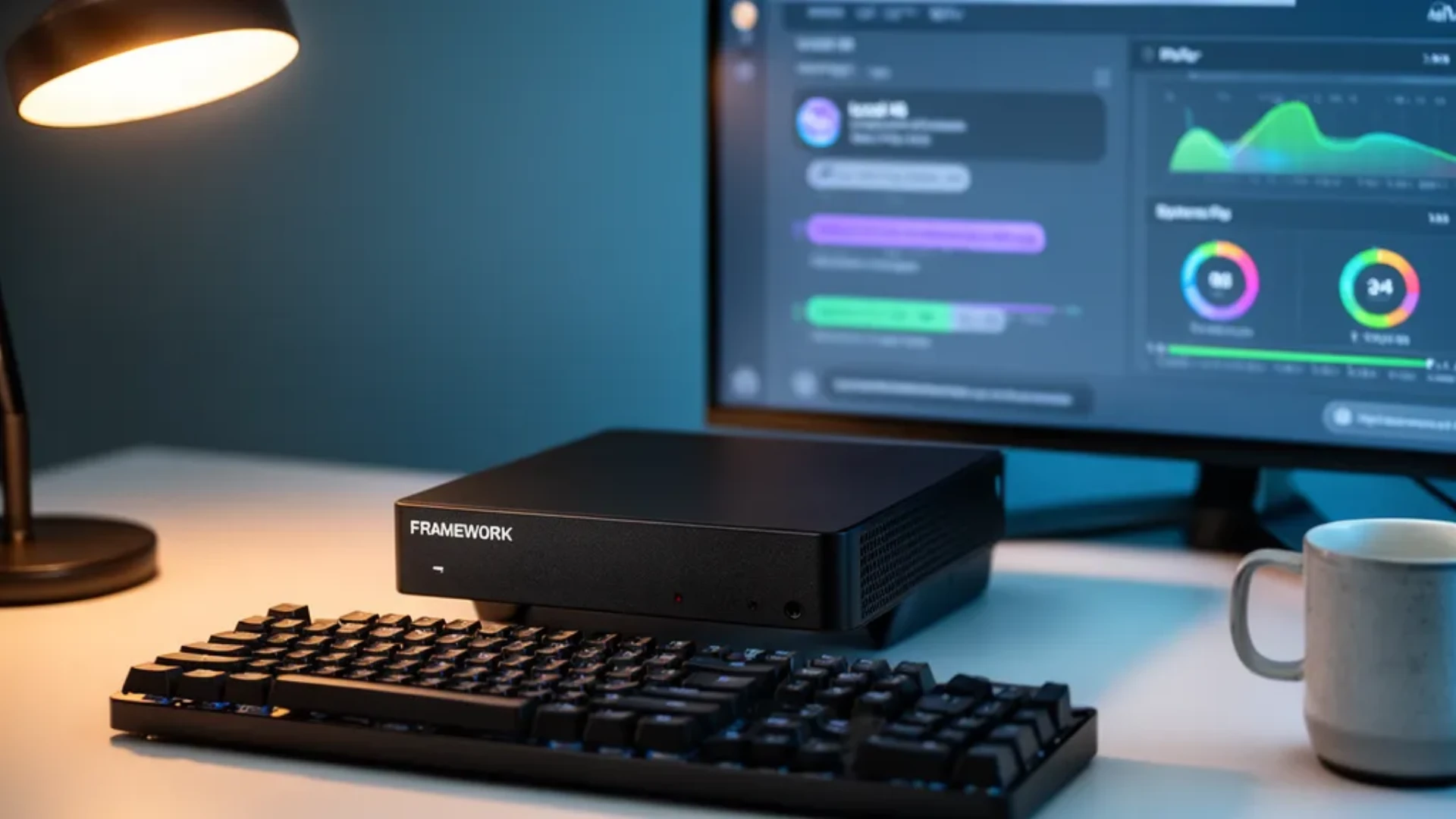
The Framework Desktop is the most interesting Strix Halo mini PC of 2026 because it is the only one you can service. It puts AMD’s Ryzen AI Max+ 395 and up to 128GB of unified memory on a standard Mini-ITX mainboard you can later move into any case you like. For a company that built its name on repairable laptops, a soldered-memory desktop is a surprising product, and the reasons behind that trade-off are the whole story. Here is what the Framework Desktop does well, where it falls short, and the fully assembled Amazon boxes that use the same chip for less hassle.
We verified the configuration and pricing against Framework’s own store, cross-checked the specs with ServeTheHome’s review, and pulled local-LLM performance from community Ollama runs. No hands-on bench numbers are ours to claim, so every figure below is attributed to its source.
Framework Desktop — Specs at a Glance
| Spec | Detail |
|---|---|
| APU | AMD Ryzen AI Max 385 8-core or Ryzen AI Max+ 395 16-core/32-thread, up to 5.1 GHz |
| GPU | Radeon 8050S or Radeon 8060S, RDNA 3.5 |
| NPU | XDNA 2, around 50 TOPS |
| Memory | 32GB, 64GB, or 128GB LPDDR5x-8000, soldered, roughly 256 GB/s bandwidth |
| Storage | 2x M.2 NVMe slots |
| Mainboard | Standard Mini-ITX, reusable in any compatible case |
| Networking | 5GbE plus WiFi 7 |
| Ports | 2x USB4, front expansion-card bays |
| Power supply | FlexATX |
| Volume | 4.5 liters |
| Price | 1,199 to 1,999 dollars by config, before storage |
| Source | Framework store, ServeTheHome review |
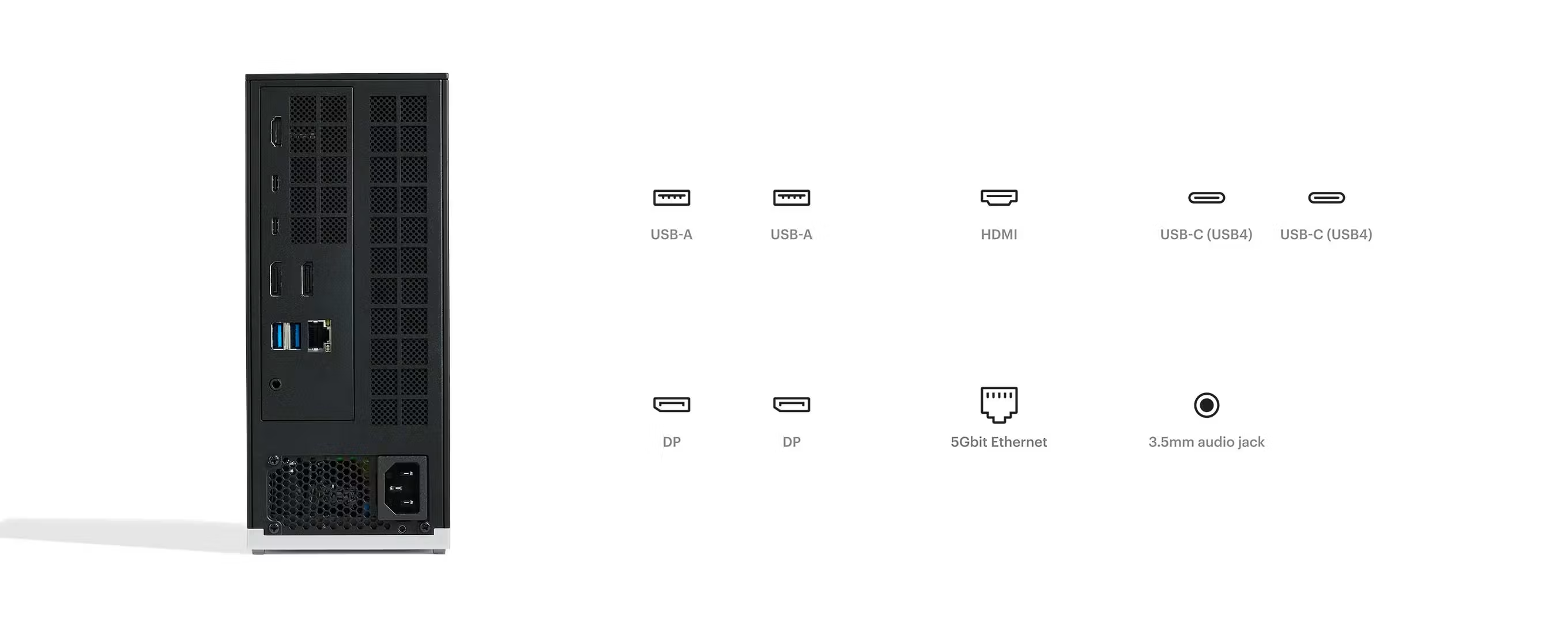
Port layout from Framework’s own listing images. The rear panel is where the port count, the LAN speed, and the USB generations are actually settled.
What Makes the Framework Desktop Different
Every other Strix Halo mini PC hides a proprietary board inside a sealed shell. The Framework Desktop does the opposite. The Ryzen AI Max+ 395 sits on a Mini-ITX mainboard that you can unbolt and drop into a third-party case whenever you want a different form factor. Framework sells the board on its own, ships tool-light access, and offers a choice of a Cooler Master or a Noctua NF-A12x25 fan. That is the Framework ethos applied to a desktop: buy the compute once, reshape the machine around it over time.
The honest asterisk is the memory. The Ryzen AI Max+ 395 reaches its roughly 256 GB/s of bandwidth only with soldered LPDDR5x-8000, so this is the one Framework product where the RAM is fixed. You choose 32GB, 64GB, or 128GB at purchase and you keep it. For a machine aimed at local AI that is the correct engineering call, but it means the usual Framework upgrade-later promise does not apply to memory.
For readers weighing this against a self-built small-form-factor PC, the mainboard reusability is the argument. You are not just buying a box; you are buying a compute module with a documented upgrade and resale path.
CPU and Local AI Performance
The Ryzen AI Max+ 395 is AMD’s most capable x86 APU, with 16 Zen 5 cores, 32 threads, and a Radeon 8060S integrated GPU on the RDNA 3.5 architecture. In everyday desktop work and multi-threaded jobs like compiling or running several virtual machines, it behaves like a desktop chip in a 4.5-liter body.
The reason people want this specific platform is unified memory. Because the CPU, GPU, and NPU share one pool of up to 128GB, the Framework Desktop can load a 70B parameter model in 4-bit quantization, which needs roughly 40GB, and still leave room for the operating system and a stack of containers. A 16GB or 24GB graphics card cannot hold that model at all. This is the same capability we covered in our best mini PC for local LLM guide, and it is why Strix Halo boxes took over that conversation.
Community Ollama runs on the Ryzen AI Max+ 395 land in a consistent range. A 70B Q4 model reads around 18 to 22 tokens per second, an 8B Q4 model around 45 to 55, and a 32B Q5 model around 35 to 40. Treat those as community estimates rather than a guarantee, because quantization, cooling, and driver version all move the number.
Two limits deserve a plain warning:
- Bandwidth is the ceiling, not the CPU. At roughly 256 GB/s the Framework Desktop sits below a Mac Studio M4 Max near 546 GB/s and well below a discrete graphics card. That gap barely matters for short chat prompts, where the machine feels quick. It matters a lot for long-context work, document-stuffing retrieval, and coding agents, where prompt processing is bandwidth-bound and you will feel the wait.
- The NPU needs the right software. The XDNA 2 NPU is rated around 50 TOPS, but plain Ollama ignores it and runs on the CPU and integrated GPU. AMD’s Lemonade SDK is the project that actually targets the NPU. If the NPU is your reason to buy, plan to run Lemonade rather than assuming every tool uses it.
Memory, Storage, and Expansion
The memory decision is the most important one you will make with this machine. Model size maps directly to the capacity you buy:
- 7B model in Q4 needs roughly 4GB, trivial on any config
- 13B model in Q4 needs roughly 8GB
- 34B model in Q4 needs roughly 20GB
- 70B model in Q4 needs roughly 40GB, which wants the 64GB or 128GB config
- 70B model in Q8 needs roughly 75GB, which wants the 128GB config
If local LLM work is the point of the purchase, the 128GB config is the one to get, because you cannot add memory afterward. Storage is more flexible, with two M.2 NVMe slots for model weights and datasets. A single 70B Q4 model occupies about 40GB, so a 1TB or 2TB drive fills up faster than you expect once you keep a few models around.
On external graphics, the Framework Desktop exposes USB4, and an eGPU is technically possible. The catch applies to the whole Strix Halo generation: on current firmware an AMD graphics card over OCuLink or an M.2 riser is capped near 120 watts, while NVIDIA cards are reportedly unaffected. If bolting on a cheap AMD card is central to your plan, this platform will frustrate you until a firmware fix arrives.
Power, Networking, and Noise
Framework pairs the board with 5GbE wired networking and WiFi 7, which is a step above the single 2.5GbE port found on many rivals and useful for moving model files or backups quickly. Two USB4 ports handle high-speed storage and displays, and the front expansion bays let you pick your rear port layout.
On power, the Ryzen AI Max+ 395 platform idles low, around 12 watts per ServeTheHome’s platform measurements, and TerminalBytes measured a Strix Halo box drawing roughly 140 watts under full load. Framework’s own numbers vary with the fan and config you choose. For a machine that may run inference sessions for hours, the load figure is the one that shapes your electricity bill, and you can model your own rate with our power cost calculator. At a typical 12 cents per kilowatt-hour, an idle-heavy homelab role costs a little over a dollar a month, while sustained AI load is a different story.
Noise depends on which fan you choose. The Noctua option is the quiet pick, and the semi-open design keeps the Framework Desktop calmer than the triple-fan boxes when you configure it for silence.
The Real Trade-offs — What ServeTheHome Found
A review is only honest if it lists the friction, and ServeTheHome’s testing surfaced several points worth repeating:
- Assembly is required. This is a semi-do-it-yourself machine. You seat the memoryless board, add storage, fit the cooler, and set it up. That is a feature for tinkerers and a chore for anyone who wants to unbox and go.
- Sleep and wake can be fussy. Reviewers noted AMD TPM issues after sleep and wake cycles on the platform, the kind of quirk that matters for an always-on box.
- USB4 and mDP can get flaky under load. Heavy use exposed occasional display and port instability.
- The final price creeps. The 1,999-dollar headline is the board and 128GB of memory. Add an SSD and a cooler and a real build lands near 2,500 dollars.
None of these are dealbreakers for the audience Framework is targeting. They are exactly the details a buyer needs before choosing this over a sealed, fully assembled box.
Framework Desktop vs the Amazon Strix Halo Boxes
Here is the decision most buyers actually face. The Framework Desktop is sold direct from Framework, not on Amazon, and it asks you to build it. Three fully assembled machines use the same Ryzen AI Max+ 395 and 128GB unified memory, ship with an SSD, and carry Amazon’s return protection. If you want the Strix Halo capability without the build, start here. For the wider field, our best AI mini PC guide ranks the whole category.
🥈 Best Amazon Alternative
GMKtec EVO-X2 AI
→ Check Current Price on Amazon
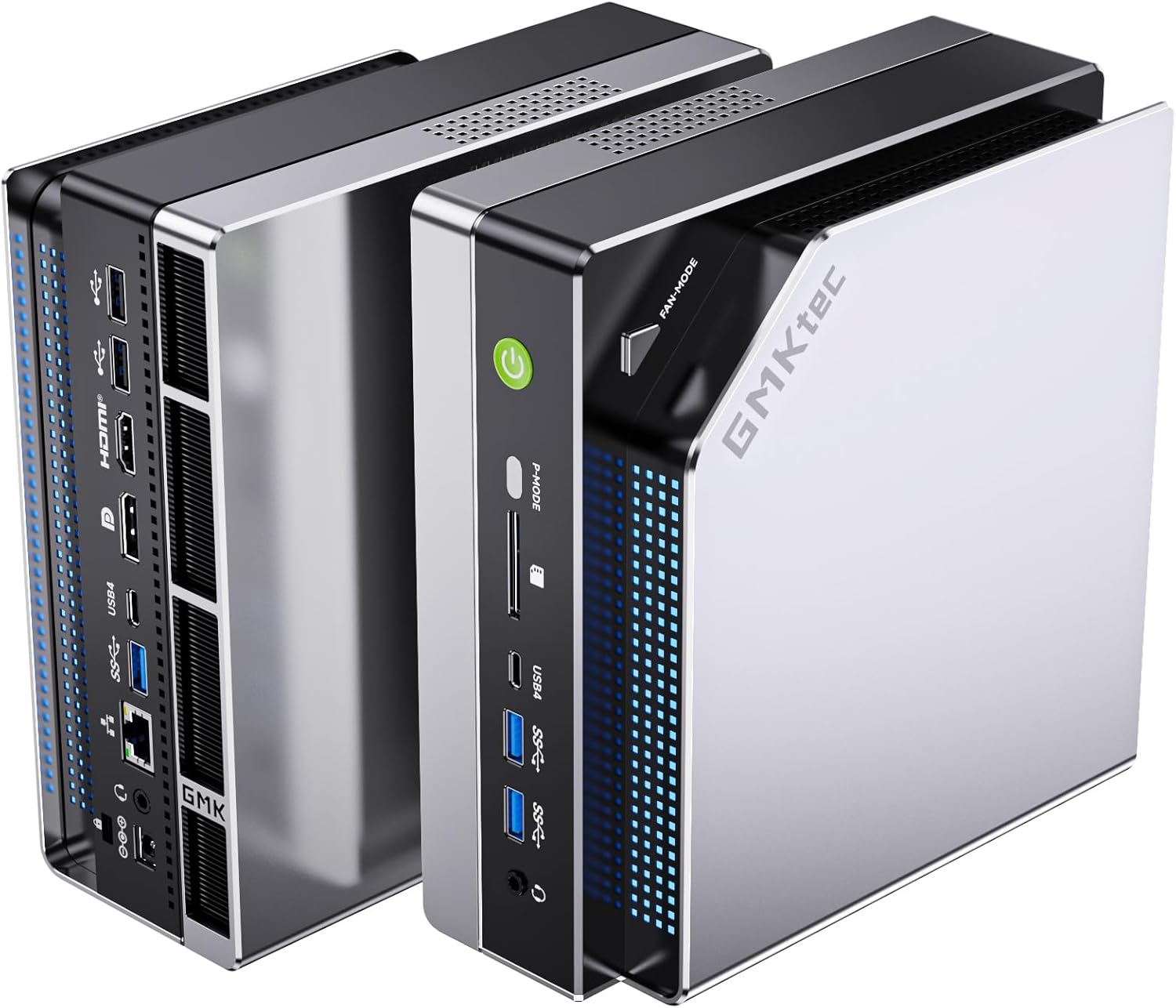
The GMKtec EVO-X2 AI is the box most local-AI buyers settle on. It carries the same Ryzen AI Max+ 395 and 128GB LPDDR5X, ships fully assembled with a bundled SSD, and adds a front power-mode button that switches between quiet, balanced, and performance without a reboot. It runs a little loud under sustained load, so pick the Beelink below if noise matters. Our full GMKtec EVO-X2 AI review goes deeper on its thermals and LLM numbers.
Specs:
| Spec | Detail |
|---|---|
| APU | Ryzen AI Max+ 395, 16-core/32-thread |
| Memory | 128GB LPDDR5X, soldered |
| Storage | Bundled NVMe SSD, dual M.2 |
| Networking | 2.5GbE plus WiFi 7 |
| Price | Check current price, memory supply moves it |
Pros:
- Same Ryzen AI Max+ 395 and 128GB unified memory as the Framework Desktop
- Ships fully assembled with a bundled SSD and triple-fan cooling
- Front power-mode button switches between quiet, balanced, and performance
Cons:
- Audible under sustained AI load
- Soldered memory means no upgrade path
Who should buy this: Anyone who wants Strix Halo performance out of the box with a bundled SSD and a simple return path.
Who should skip this: Buyers who want the quietest option, who should look at the Beelink GTR9 Pro next.
🥉 Quietest Alternative
Beelink GTR9 Pro
→ Check Current Price on Amazon
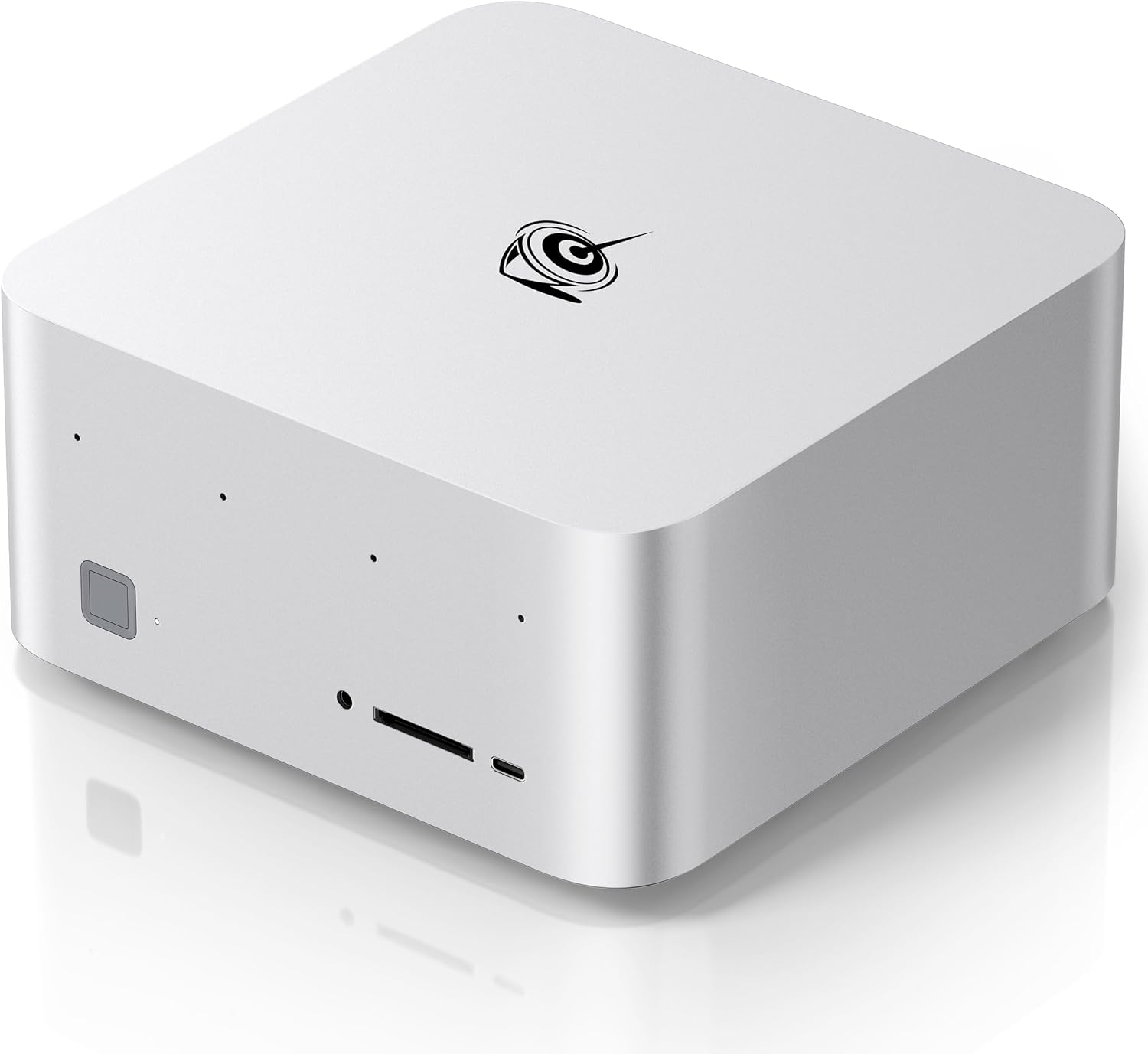
The Beelink GTR9 Pro uses the same chip and 128GB memory but runs quieter under load and adds dual 10GbE alongside dual USB4, which makes it the stronger homelab networking pick. Some units ship with Ubuntu and ROCm already set up, which saves an afternoon if Linux inference is your goal. The chassis is chunkier than the Framework Desktop, and the street price swings with memory supply.
Specs:
| Spec | Detail |
|---|---|
| APU | Ryzen AI Max+ 395, 16-core/32-thread |
| Memory | 128GB LPDDR5X, soldered |
| Networking | Dual 10GbE plus dual USB4 |
| Storage | NVMe SSD, dual M.2 |
| Price | Check current price |
Pros:
- Dual 10GbE plus dual USB4 for a fast homelab
- Quieter under load than the triple-fan boxes
- Some units ship with Ubuntu and ROCm preinstalled
Cons:
- Chunkier enclosure than the Framework Desktop
- Street price swings with memory supply
Who should buy this: Homelab users who want the quiet option and fast 10GbE networking.
Who should skip this: Buyers who value the smallest footprint, where the Framework Desktop or EVO-X2 fit better.
Best-Value 128GB
Minisforum MS-S1 MAX
→ Check Current Price on Amazon
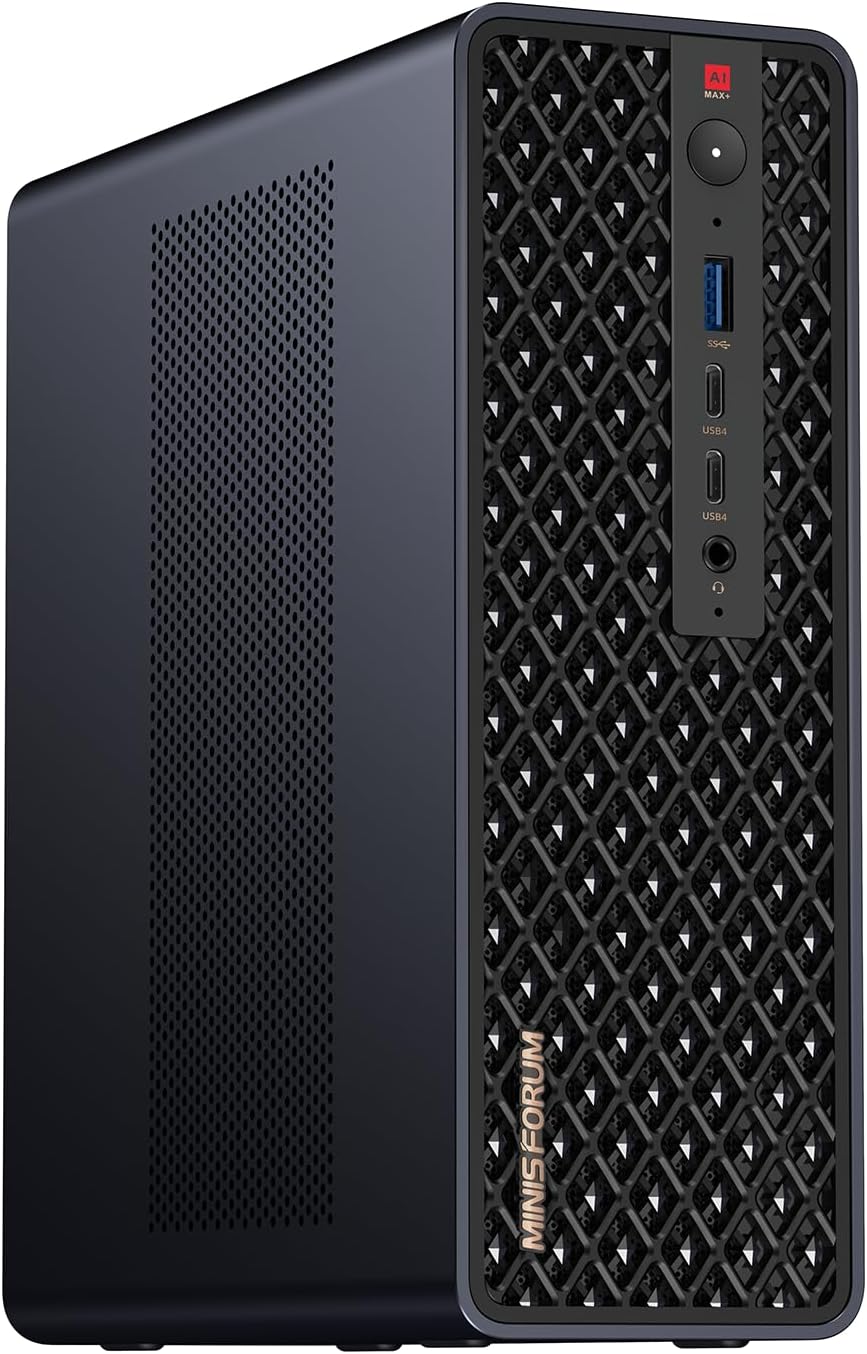
The Minisforum MS-S1 MAX brings the same Ryzen AI Max+ 395 and 128GB memory to a homelab-focused chassis and is often the lower-priced 128GB box on Amazon. It trades chassis polish for ports and value, so it suits the buyer who cares more about expandability than looks. Confirm the exact configuration on the listing before you order, because Minisforum sells several variants.
Specs:
| Spec | Detail |
|---|---|
| APU | Ryzen AI Max+ 395, 16-core/32-thread |
| Memory | 128GB LPDDR5X, soldered |
| Networking | Homelab-focused, verify on listing |
| Storage | NVMe SSD, dual M.2 |
| Price | Often the lowest 128GB price, check listing |
Pros:
- Strong expandability and networking for a homelab
- Same 128GB unified memory for large models
- Often the lower-priced 128GB box on Amazon
Cons:
- Less refined chassis than the Framework Desktop
- Verify the exact configuration before ordering
Who should buy this: Value-focused buyers who want 128GB for the lowest price and do not mind a plainer box.
Who should skip this: Anyone who wants Framework’s serviceable mainboard or Beelink’s quieter acoustics.
Head-to-Head Comparison
| Feature | Framework Desktop | GMKtec EVO-X2 AI | Beelink GTR9 Pro |
|---|---|---|---|
| APU | Ryzen AI Max+ 395 | Ryzen AI Max+ 395 | Ryzen AI Max+ 395 |
| Max memory | 128GB soldered | 128GB soldered | 128GB soldered |
| Serviceable board | Yes, Mini-ITX | No | No |
| Networking | 5GbE plus WiFi 7 | 2.5GbE plus WiFi 7 | Dual 10GbE |
| Assembly | Semi do-it-yourself | Assembled | Assembled |
| Sold on Amazon | No, direct only | Yes | Yes |
| Best for | Tinkerers and upgraders | Assembled default | Quiet homelab |
Who Should Buy the Framework Desktop?
Buy it if you:
- Want a Strix Halo machine with a serviceable Mini-ITX mainboard you can reuse later
- Value Framework’s repairability and documentation over a sealed box
- Are comfortable seating storage, fitting a cooler, and doing a light build
- Want 5GbE wired networking without an add-in card
- Plan to run local LLMs up to the 70B class and understand the bandwidth limits
Skip it if you:
- Want to unbox and go, where the GMKtec EVO-X2 AI is the assembled pick
- Need the quietest machine or 10GbE, where the Beelink GTR9 Pro fits better
- Need upgradeable memory, which no Strix Halo box offers
- Depend on an external AMD graphics card, given the 120-watt firmware cap
- Want the absolute lowest 128GB price, where the Minisforum MS-S1 MAX usually wins
Frequently Asked Questions
Is the Framework Desktop good for running local LLMs?
Yes, within limits. The 128GB unified memory lets it load a 70B model in 4-bit quantization that a 16-24GB graphics card cannot hold at all. Community Ollama runs put a 70B Q4 model around 18-22 tokens per second. The catch is memory bandwidth of roughly 256 GB/s, so long prompts and document-heavy work feel slow compared with a discrete GPU.
Can you upgrade the RAM in the Framework Desktop?
No. The LPDDR5x memory is soldered to the board because the Ryzen AI Max+ 395 needs it that way for its bandwidth. This is the one Framework product that is not memory-upgradeable, so buy the capacity you need up front. The mainboard itself is a standard Mini-ITX part you can move into another case later.
How much does the Framework Desktop cost?
Framework lists the Ryzen AI Max 385 with 32GB at 1,199 dollars, the Ryzen AI Max+ 395 with 64GB at 1,599 dollars, and the 128GB flagship at 1,999 dollars before storage. Add an SSD and a cooler and the 128GB build lands near 2,500 dollars. Street prices on all Strix Halo boxes have moved up sharply with LPDDR5 supply, so check before you buy.
Framework Desktop or GMKtec EVO-X2 for local AI?
Both use the same Ryzen AI Max+ 395 and 128GB unified memory, so raw LLM performance is close. Choose the Framework Desktop if you want a serviceable Mini-ITX mainboard and Framework’s repairability. Choose the GMKtec EVO-X2 or Beelink GTR9 Pro if you want a fully assembled machine on Amazon with fast returns and a bundled SSD.
Does the Framework Desktop have a Neural Processing Unit?
Yes, the Ryzen AI Max+ 395 includes an XDNA 2 NPU rated around 50 TOPS. Most local inference apps do not use it yet. Plain Ollama falls back to the CPU and integrated GPU and ignores the NPU. AMD’s Lemonade SDK is the path that actually runs work on the NPU, so factor that in if the NPU is your reason to buy.
Can you attach an external graphics card to the Framework Desktop?
It is possible over USB4, but read the fine print. On current Strix Halo boards an AMD graphics card connected over OCuLink or an M.2 riser is capped near 120 watts by firmware, while NVIDIA cards are reportedly unaffected. If an external AMD GPU is central to your plan, wait for a firmware fix or pick a different platform.
How We Research These Picks
We verified the Framework Desktop configuration and pricing against Framework’s own store, cross-checked specs and real-world quirks with ServeTheHome’s review, and drew local-LLM performance from community Ollama runs on the Ryzen AI Max+ 395 rather than any bench session of our own. Power figures are attributed to ServeTheHome for platform idle and TerminalBytes for load. Amazon alternatives were selected from verified live listings, and we note where memory supply is moving prices. We do not claim hands-on testing we did not perform, and every performance number here carries its source. For the wider category, see our best mini PC for home server pillar.
Amazon Product Links
- 🥈 GMKtec EVO-X2 AI — assembled Strix Halo default: Check Current Price
- 🥉 Beelink GTR9 Pro — quietest, dual 10GbE: Check Current Price
- Minisforum MS-S1 MAX — best-value 128GB: Check Current Price